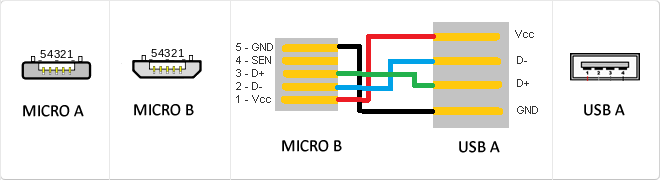
MicroUSB
or horizontal. The micro USB with five pins, which pins identification (ID) Micro AB USB connectors special work. AB connectors with pin ID can allow the device to function as a connector A or B to standard USB technology. This gives the new smart phones and other devices the option to act as either a single storage device or as provi
USB
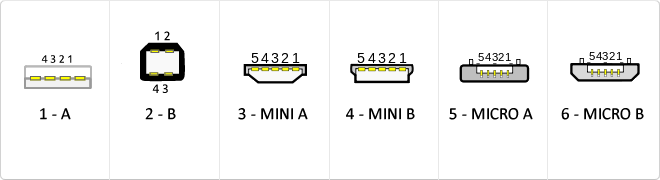
The USB (Universal Serial Bus) is a standard that defines the cables, connectors and used a bus to connect, communicate, computers, peripherals and electronic devices protocols Transmission Rates Low speed (USB 1.0). Transfer rate up to 1.5 Mbit/s (188 kB/s) used in keyboard, mouse ... transfer rate up to 12 Mbit/s (1.5 MB/s) High Speed ??(USB 2.0): Rate transferencia up to 480 Mbit/s (60 MB/s) SuperSpeed ??(USB 3.0) transfer rate up to 4.8 Gbit/s (600 MB/s) Connector Types 1 - USB type A (4 pin) 2. - USB type B (4 pin) 3 - Mini A (5-pin) 4 - Mini B (5-pin) 5 - Micro A (5-pin) 6 - Micro B (5-pin)
Rack unit (U)
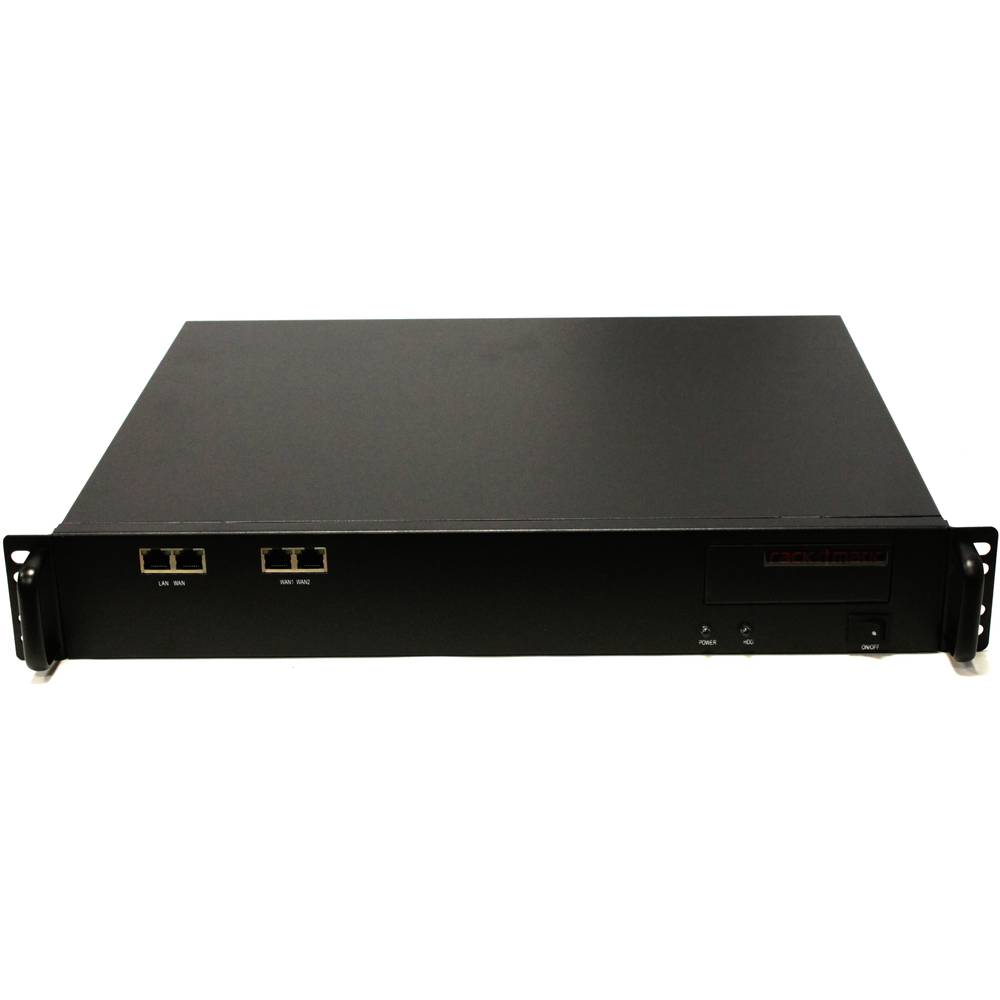
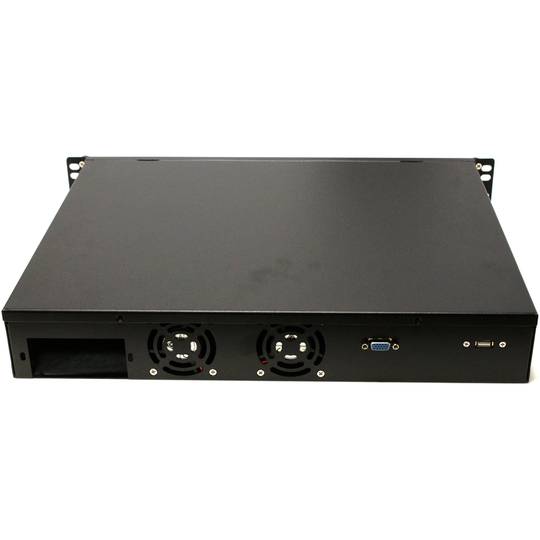
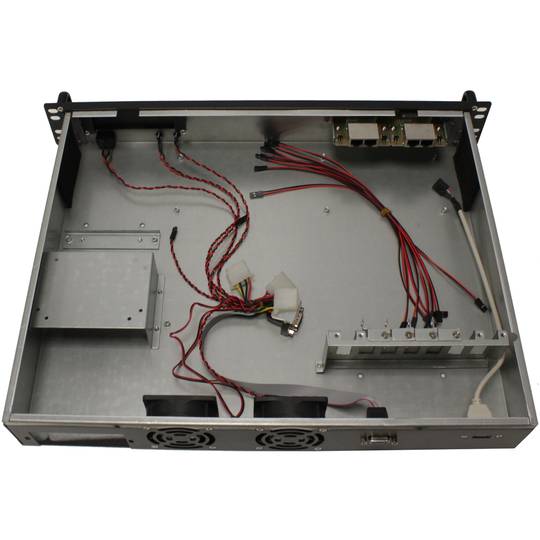
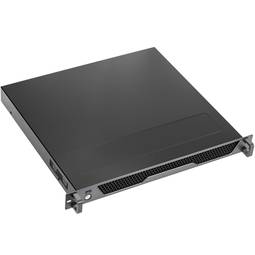
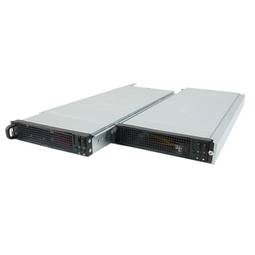
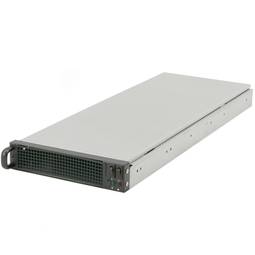
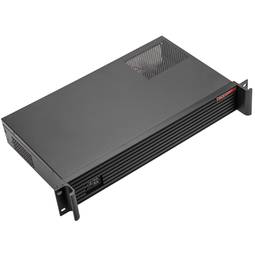
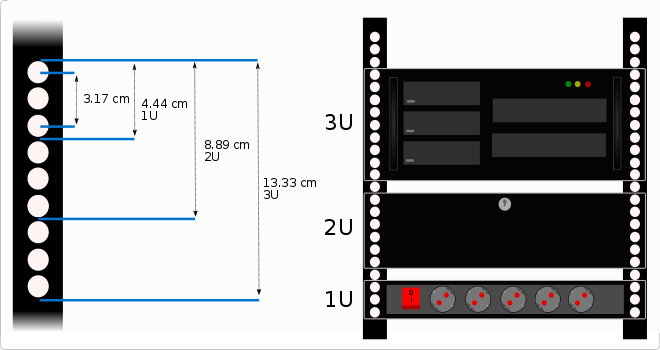
There are several cabinet heights according to the needs of the installation, this height can be measured in rack units (U).
Each rack unit or U is the distance between each horizontal separation to place the different accessories inside the rack. This distance is 1.75 inches that is equal to 4.4445 cm high.
For example, if we say that a rack is 8U we will understand that it has 8 units to install device orAccessories of 4.44 cm in height.
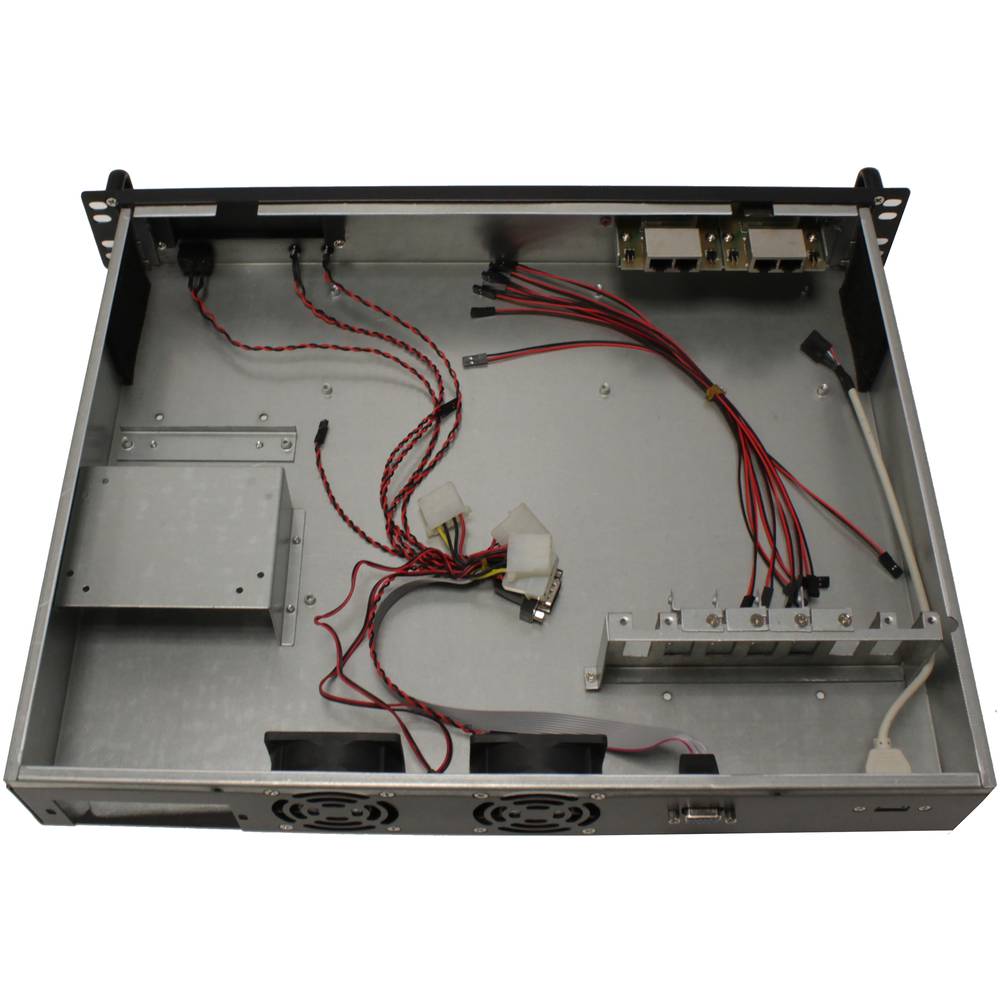
Normally these accessories, like trays, guides, strips, etc. Occupy a unit of U (1U), but we can find that other devices or accessories occupy more units, for example can be a rack box to install a PC, a UPS, etc. It can be said that there is also a half unit of U (0.5U), in this case, two units could be installed in a rack unit.
As far as I knowEndo the units of rack that occupy the devices that we are going to install we will know the height that we need for our rack.
The size of the rack unit (U) is based on the standard specification for racks defined in EIA-310.
![]()
Reversible USB Type-C
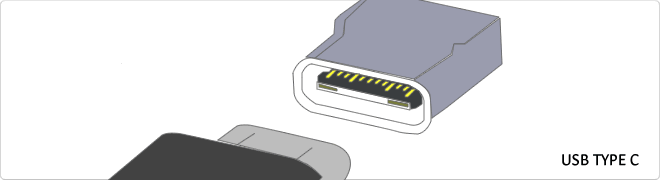
USB-C reversible USB version called USB cables USB Type C Type C or USB reversible. The important thing is this type of USB is that it has top and bottom. So you may save the blows that are given involuntarily to connect the connector upside down. It is also characterized in that when connected will make an audible "click". The USB-C or reversible USB cables can reach 10 Gbps and support USB 3.0, 3.1Use is estimated up to 10,000 applications and has some measures 8.4mm x 2.6mm is also compatible with USB 3.1 and USB indicate creators
RACK 19
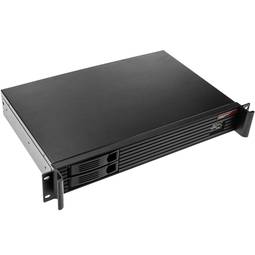
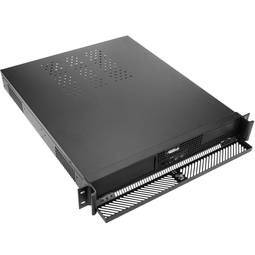
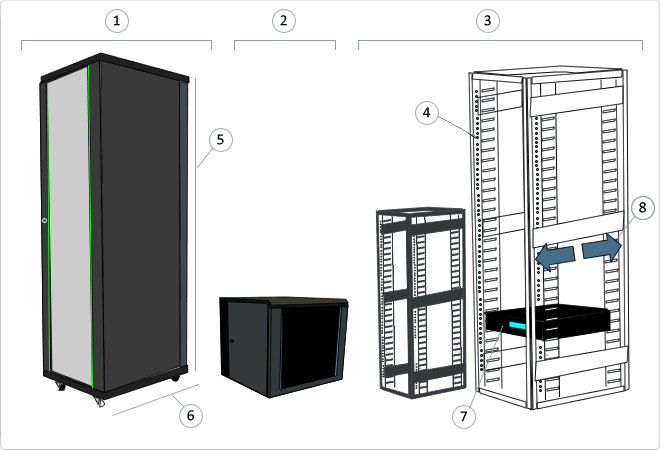
A rack is a metal support designed to house electronic, computer and communications equipment. The measures for the width are normalized to be compatible with most equipment manufacturers. They are also called racks, cabinets, cabinets or closets. Each column has holes at regular intervals called U rack units (Pictured: 4) grouped in threes. The height (Pictured:5) of the racks is standardized and external dimensions of 200 mm by 200 mm. Being normal that from 4U to 46/47U height width types (Pictured: 7). Standard 600 mm or 800 mm Types of background (Pictured: 6) The depth of the frame is not standardized, as this flexibility is granted (Pictured: 8) to the equipment. The most common are: - 450 mm - 600 mm - 800 mm - 900 mm - 1000 mm - 1200 mm Type 19-inch rack can find various types of 19-inch rack. Rack Mural (Pictured: 2): Used to accommodate electronic network. They are the smallest and are anchored to wall. Rack Pie (Pictured: 1): They are used primarily for servers, UPS and network electronics. Open Rack (Pictured: 3): Open Rack Racks are available only modelsstructure, eliminating doors and other accessories.
![]()
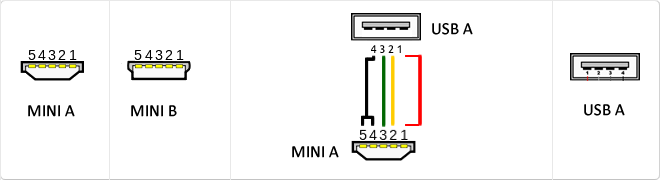
Mini USB
The mini USB connectors are smaller than their standard counterparts and have USB fifth pin. The fifth pin is known as the pin ID and is typically not used in mini USB connectors. It was designed to allow later improved USB technology. The mini USB connectors have a cycle life of at least 5000 connections and disconnections, which accommodates the mobile nature of the devices that are designed to interact. The standard USB connectors are generally used with devices that are stationary and not disconnected often.
WAN
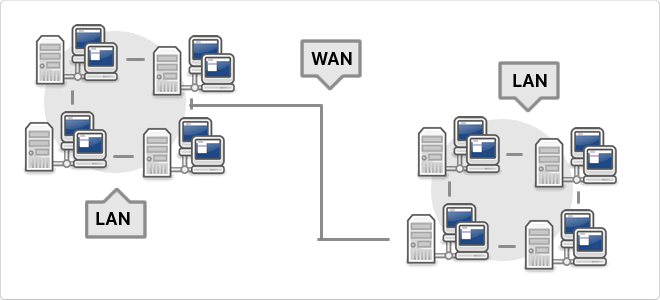
WAN, which is also known as wide area network is a network that consists of several private computers or organizations. Today with the speed that is in LANs is no longer necessary to use WAN
Communication Series
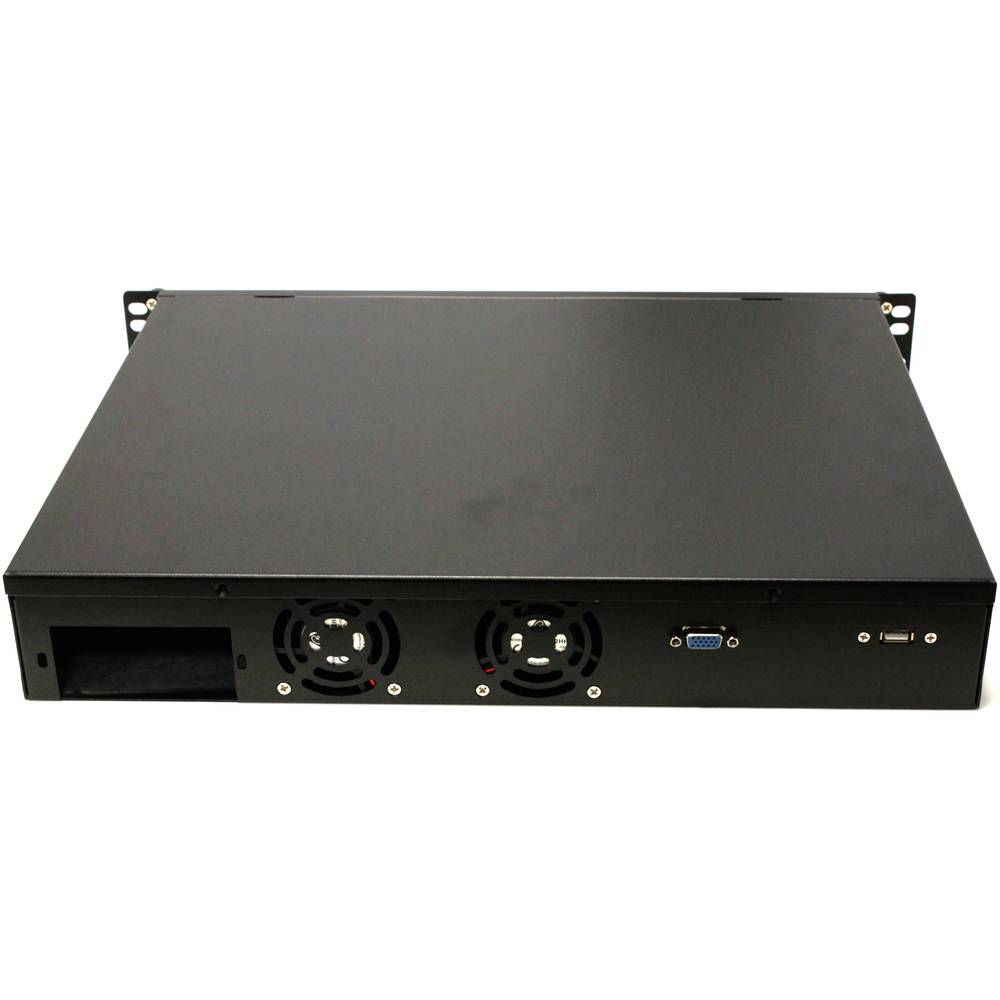
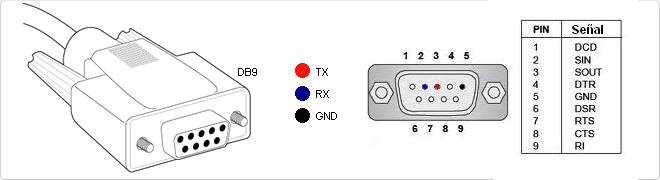
RS-232 (Recommended Standard 232, also known as EIA/TIA RS-232C) is an interface that designates a standard for the exchange of a series of binary data between a DTE (Data Terminal Equipment) and DCE (Data Communication Equipment , Data Communication Equipment), although there are others in which the RS-232 interface is also used. An equivalent definition published by the ITU is called V.24. The RS-232 is a connectorDB-25 type (25-pin), although it is normal to find the version of 9-pin (DE-9, or popularly also called DB-9), cheaper and even extended to certain types of peripherals (such as serial mouse PC).
USB 3.0
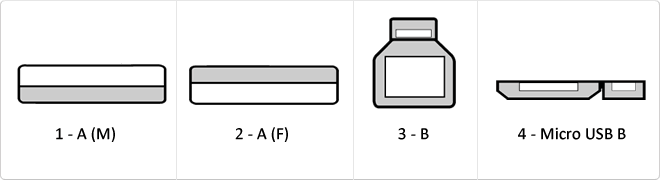
USB 3.0 is the second major revision of the standard Universal Serial Bus (USB) connectivity for computing. USB 3.0 has transmission speeds of up to 5 Gbit/s, which is 10 times faster than USB 2.0 (480 Mbit/s). Connector Types 1 - USB type A plug 2 - 3 USB type A female - USB type B 4 - Micro USB B
RS232
The RS232 connector is a connector type 9-pin connector is popularly called Series. It is a connector that was once widely used by various components of the PC, such as a mouse, keyboard ... but over time it has fallen into disuse and replaced by the USB connector trying to emulate the latest version number. It is currently used by robots, elevators, POS and industrial machinery.
RJ45
When we talk about RJ45 ("Registered Jack" 45) we refer to a telecommunications network interface for wired connection of voice and data equipment.
This connector has 8 pins or connections and may have a specific category depending on the data transfer speed and bandwidth (category 5e, 6, etc.)
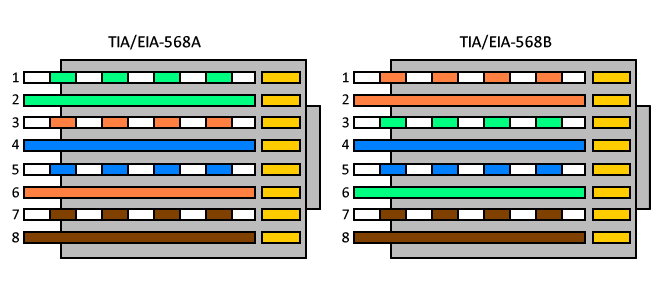
The common application is their use in Ethernet network cables under TIA/EIA-568-B standard that defines the arrangement of pins (pinout), but can also be used for other applications.
- Direct pin diagram:
EIA-568A
Pin No.1: WHITE-GREEN
Pin No.2: GREEN
Pin No.3: WHITE-ORANGE
Pin No.4: BLUE
Pin No.5: WHITE-BLUE
Pin No.6: ORANGE
Pin No.7: WHITE-BROWN
Pin No.8: BROWN
EIA-568B
Pin No.1: WHITE-ORANGE
Pin No.2: ORANGE
Pin No.3: WHITE-GREEN
Pin No.4: BLUE
Pin No.5: WHITE-BLUE
Pin No.6: GREEN
Pin No.7: WHITE-BROWN
Pin No.8: BROWN
- Schematic of crossed pins:
The crossover cable has one end with EIA-568A scheme and the other one with EIA-568B.
Categories network cables
Network cable categories define the performance, frequency, and data transmission capacity in structured cabling infrastructures.
| Category | Max Speed | Frequency | Distance |
|---|
| Cat 6a | 10 Gbps | 500 MHz | 100 m |
Details and Advantages
Categorization ensures infrastructure can handle bandwidth demands and mitigates electromagnetic interference.
Note: Maximum distance is typically 100 meters per TIA/EIA standards.
ATX
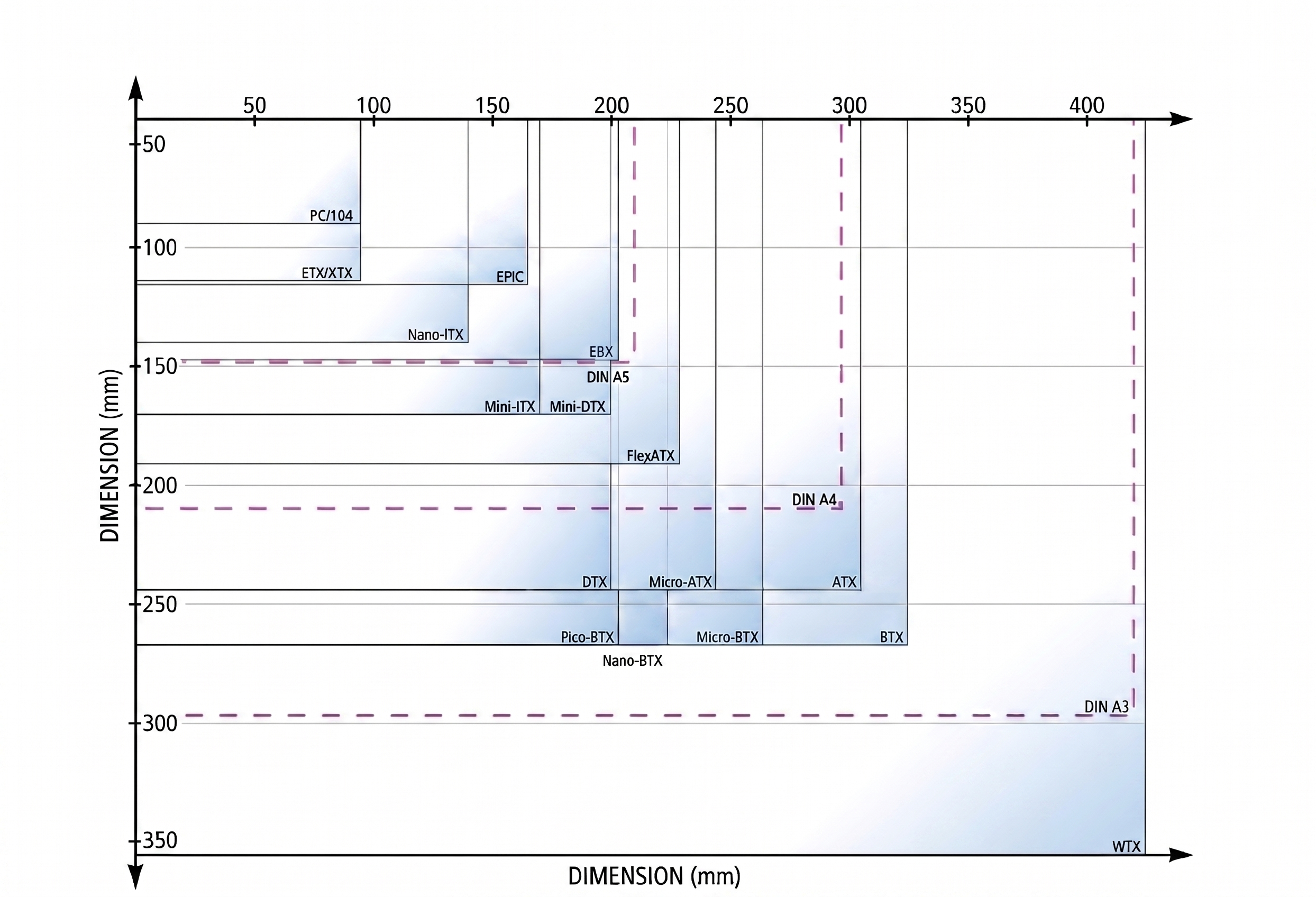
ATX is the most common form factor standard for motherboards and power supplies, introduced by Intel to enhance cable management and airflow.
| Specification | Value |
|---|
| Dimensions | 305 × 244 mm |
| Power Connector | 24-pin (main) |
Standard Details
It defines the placement of mounting holes, the rear I/O panel, and power connectors for broad interoperability.
Advantages
Provides superior cooling, easier expansion via multiple PCIe slots, and efficient power management.
Note: Ensure your PC chassis supports the 12-inch standard width before installation.