HD High definition
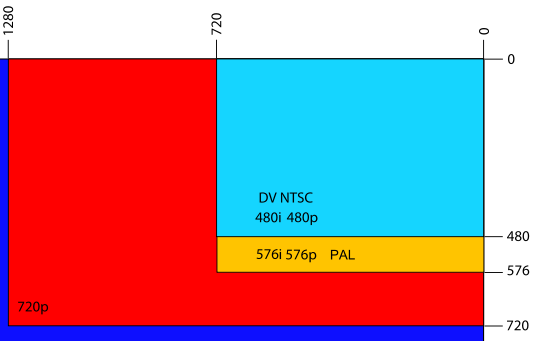
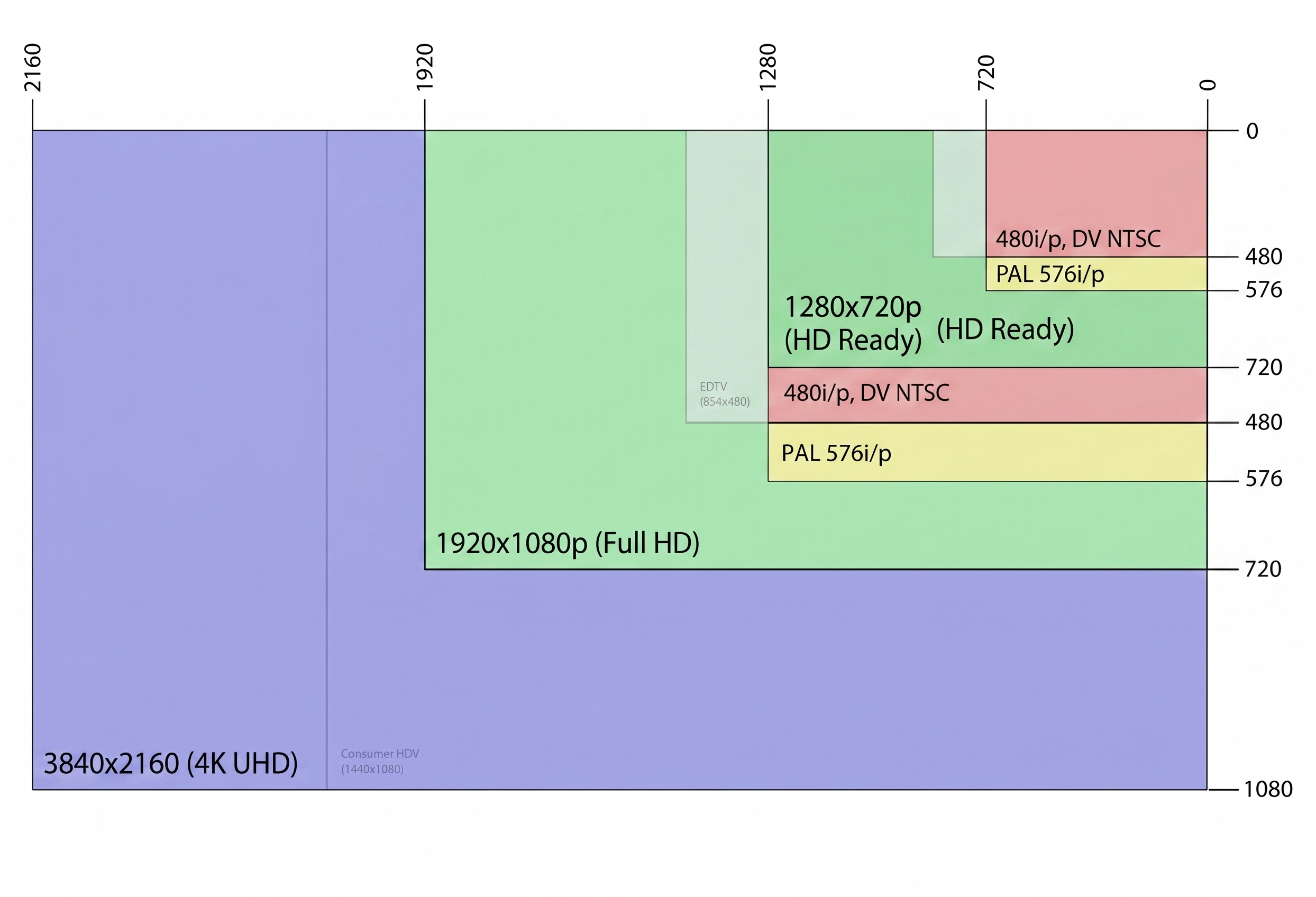
HD (High Definition) is the technical standard designed to surpass the resolution limitations of standard definition (SD) systems, offering higher pixel density.
The architecture of High Definition is based on a significant increase in spatial resolution, typically using a 16:9 aspect ratio. At the hardware level, HD requires an image processor capable of managing dense data streams and high-speed communication buses to minimize latency in digital signal transmission.
| Specification | Standard Value |
|---|
| Minimum Resolution | 1280 x 720 pixels |
| Aspect Ratio | 16:9 |
The deployment of the HD standard has reconfigured data storage and transmission paradigms in modern networks, serving as the minimum baseline for professional video.
Progressive and Interlaced Scanning
HD systems operate using progressive or interlaced modes to optimize bandwidth usage.
Key Advantages
- Superior clarity and texture detail.
- Native widescreen format.
- Integrated digital multichannel audio.
Reference standard for the modern audiovisual industry.
![]()
Categories network cables
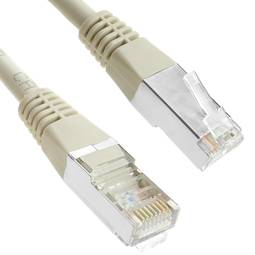
Network cable categories define the performance, frequency, and data transmission capacity in structured cabling infrastructures.
| Category | Max Speed | Frequency | Distance |
|---|
| Cat 6a | 10 Gbps | 500 MHz | 100 m |
Details and Advantages
Categorization ensures infrastructure can handle bandwidth demands and mitigates electromagnetic interference.
Note: Maximum distance is typically 100 meters per TIA/EIA standards.
HDMI
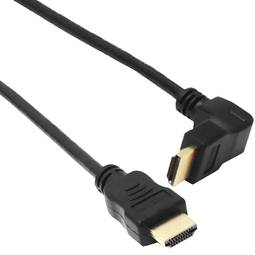
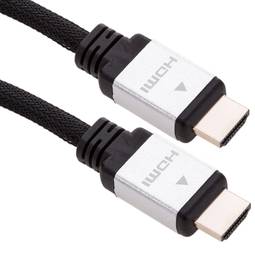
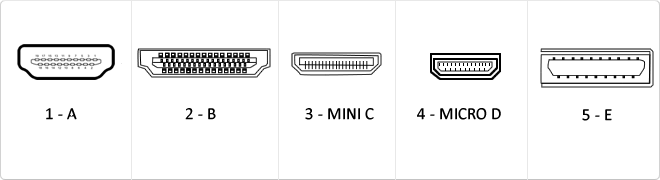
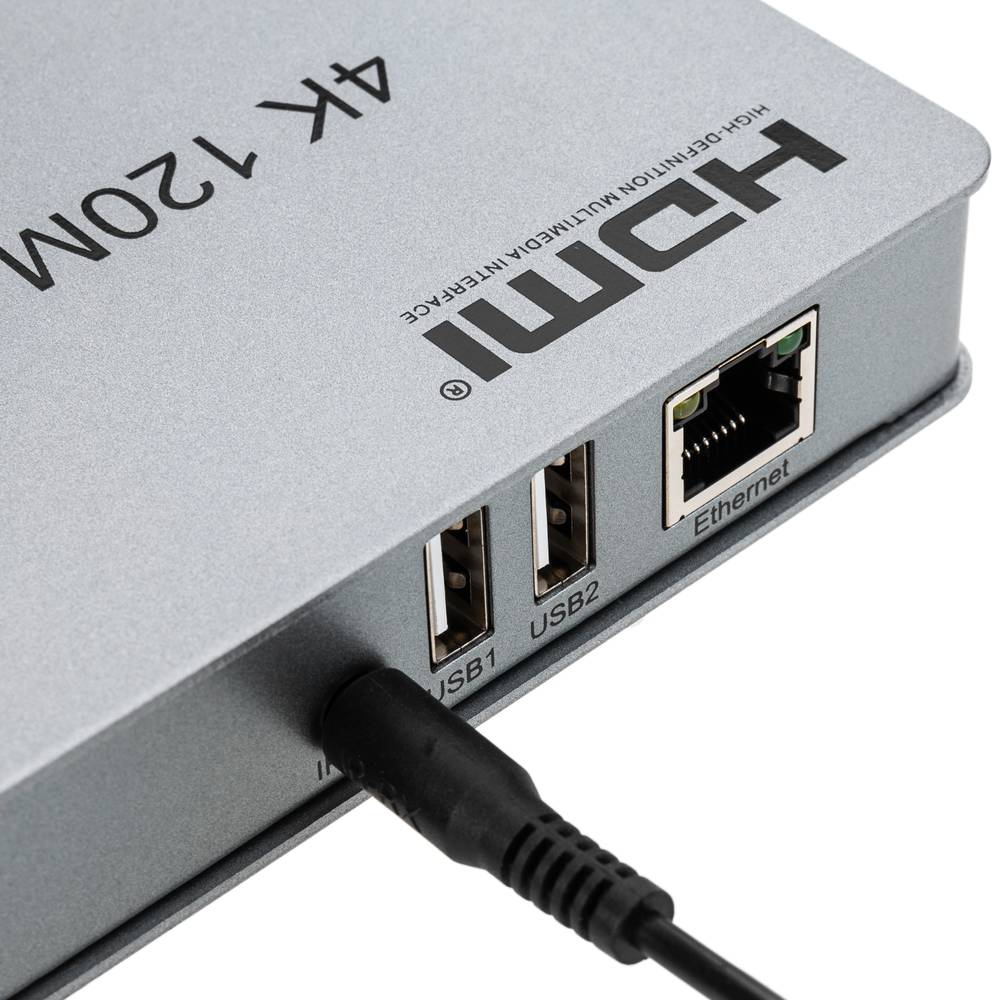
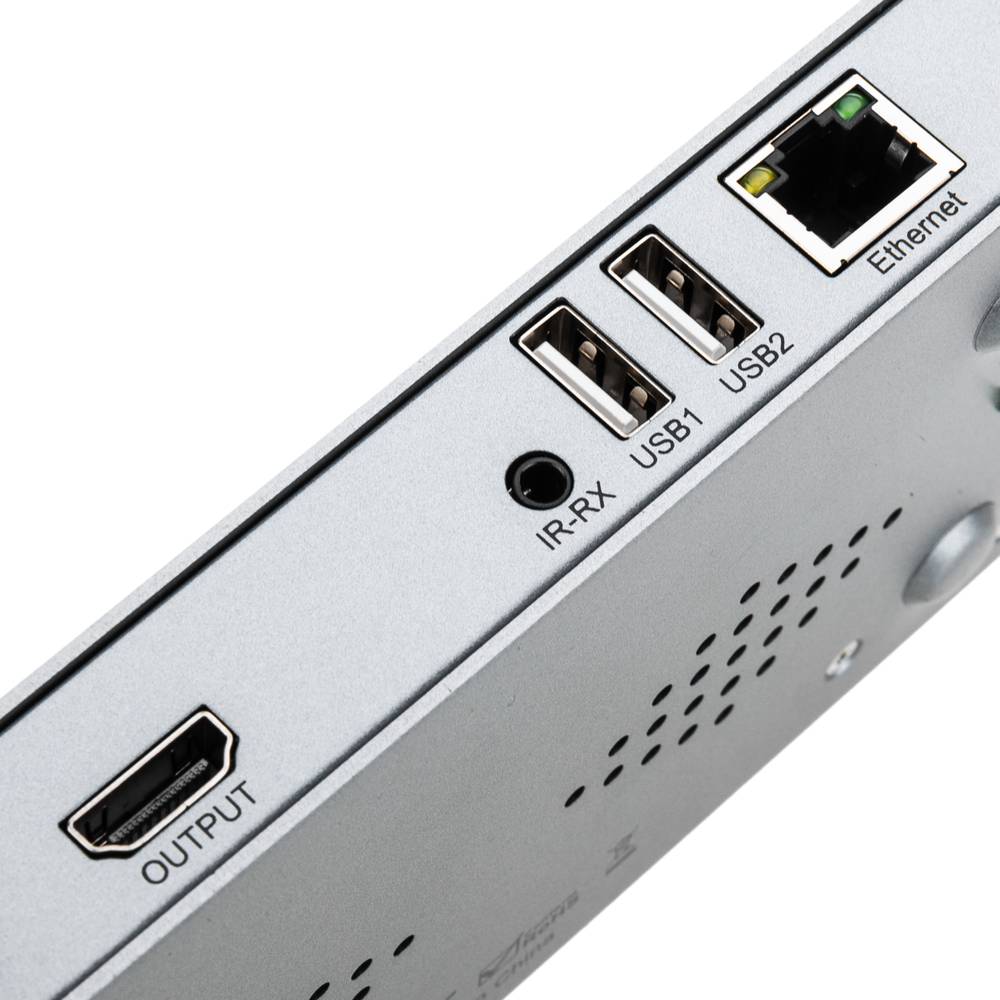
HDMI (High-Definition Multimedia Interface) is a digital interface standard designed for the simultaneous transmission of uncompressed audio and video streams from a compatible source to a digital display or receiver.
This interface employs Transition-Minimized Differential Signaling (TMDS) to maintain data integrity at high frequencies. Throughout its revisions, HDMI has evolved from a basic digital video solution into a complex data bus capable of carrying 4K signals at 60Hz, dynamic metadata, and bidirectional control protocols between devices.
| Version | Bandwidth | Audio/Video Support |
|---|
| 1.0 - 1.2 | 4.9 Gbit/s | 1080p @ 60Hz, 8 LPCM channels |
| 1.3 - 1.4 | 10.2 Gbit/s | 4K @ 30Hz, Deep Color, ARC, Ethernet |
| 2.0 | 18.0 Gbit/s | 4K @ 60Hz, 32 audio channels, HDR |
The mass adoption of the HDMI standard has transformed the interconnect architecture in multimedia data centers and high-performance workstations. Its ability to integrate Audio Return Channels (ARC/eARC) and Ethernet connectivity (HEC) has drastically simplified structural cabling, eliminating the need for multiple redundant analog and digital cables while ensuring signal integrity over significant distances through active equalization.
CEC Control and Multi-Streaming Integration
A critical innovation in version 2.0 is the ability to deliver simultaneous dual video streams on the same screen and up to four independent audio streams, optimizing bandwidth for multi-user applications.
Key Advantages
- Pure digital transmission avoiding D/A signal degradation.
- Full backward compatibility across all standard versions.
- Native support for high-resolution audio formats like Dolby TrueHD and DTS-HD.
- Support for 21:9 cinema aspect ratios and dynamic lip-sync.
Note: Final interface performance is dependent on the cable certification (Standard, High Speed, or Premium High Speed).
![]()
DC jack connector
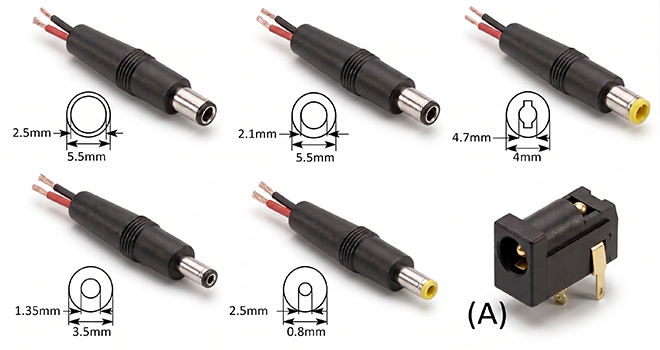
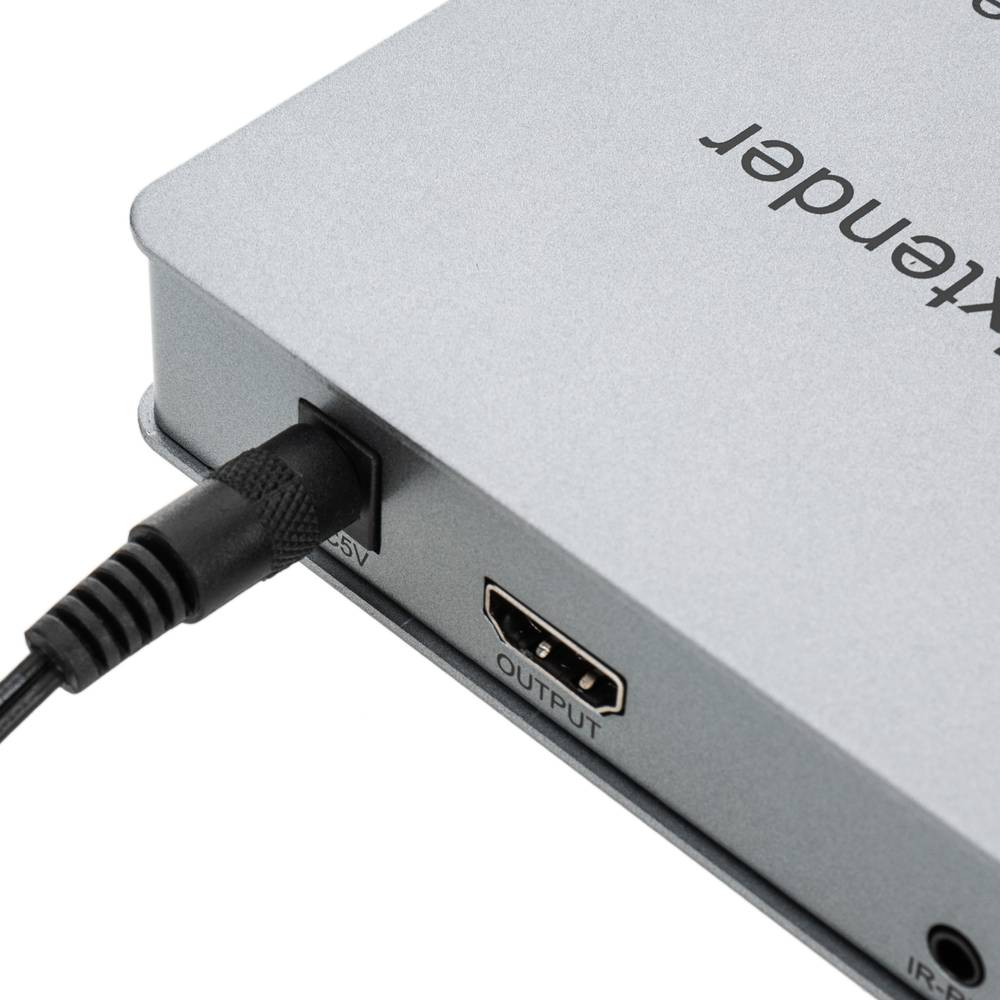
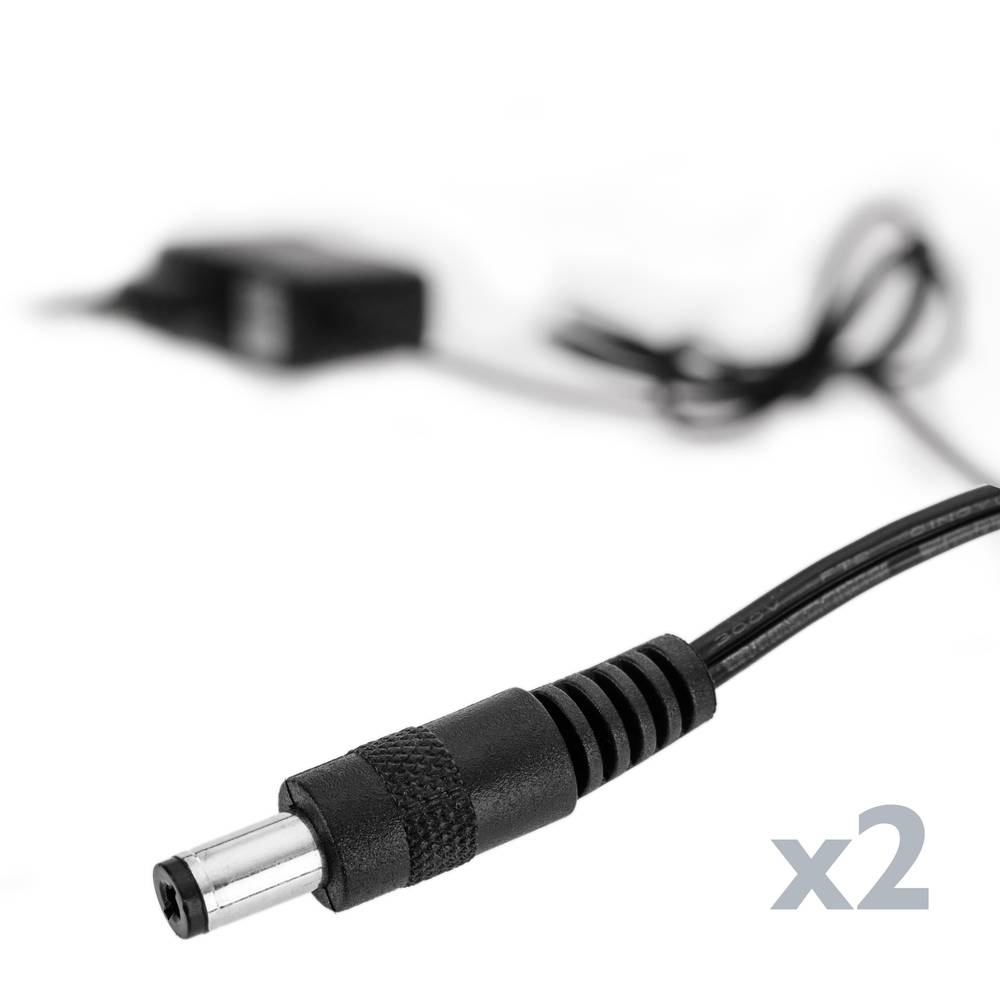
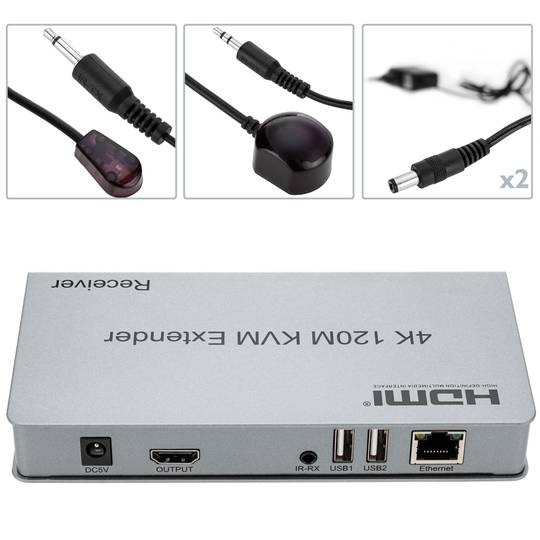
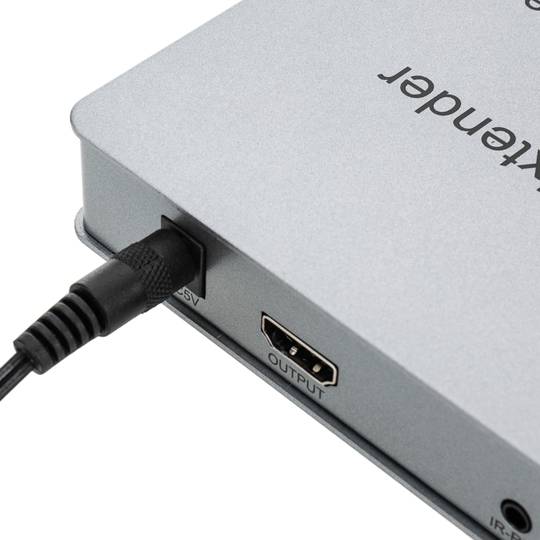
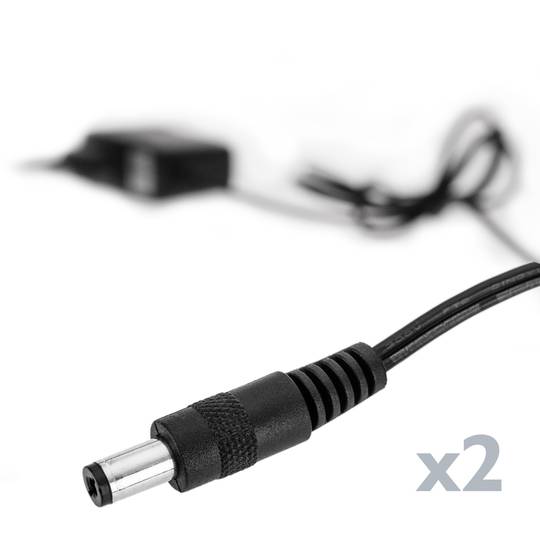
Inside the different types of connectors for power supply we find one of the most common, the DC jack. Used in most connections in electronic devices such as routers, laptops, printers etc ... is the most used due to its easy assembly and connection. These connectors are mostly used in DC power supplies and installations.
The connector is cylindricalAnd we find its version in male and female format (A). The male connector is composed of the outer and inner metal part, where in each of them the energy travels, normally the inner part is used for the positive pole and the outside for the negative, but may vary according to manufacturer.
This type of connector is found in many diameters, the most common are 3.5mm and 5.5mm. Although we can andThere are several measures in terms of length and outer or inner diameter.
Its installation is simple, we can find several types of connectors, pair to weld or to screw with terminal block, it will depend on the user to choose the most suitable in its installation.
When purchasing the male connector to perform a repair we must know its diameter, length of the connector and internal diameter. If we proceed with aTo new installation only we must make sure that the male and female connector are of the same characteristics.
![]()
1080p
1080p, also known as Full HD, refers to a video resolution of 1920x1080 pixels using progressive scanning.
| Feature | Specification |
|---|
| Resolution | 1920 x 1080 |
Detail
The 'p' stands for progressive scan, which eliminates the flickering often associated with interlaced video (1080i).
Advantages
- Superior image clarity for mainstream displays.
- Widely supported by all streaming platforms.
Note: 1080p remains the industry standard for high-definition quality.
Minijack 3.5
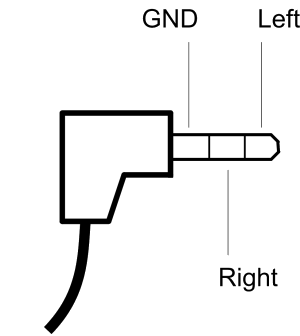
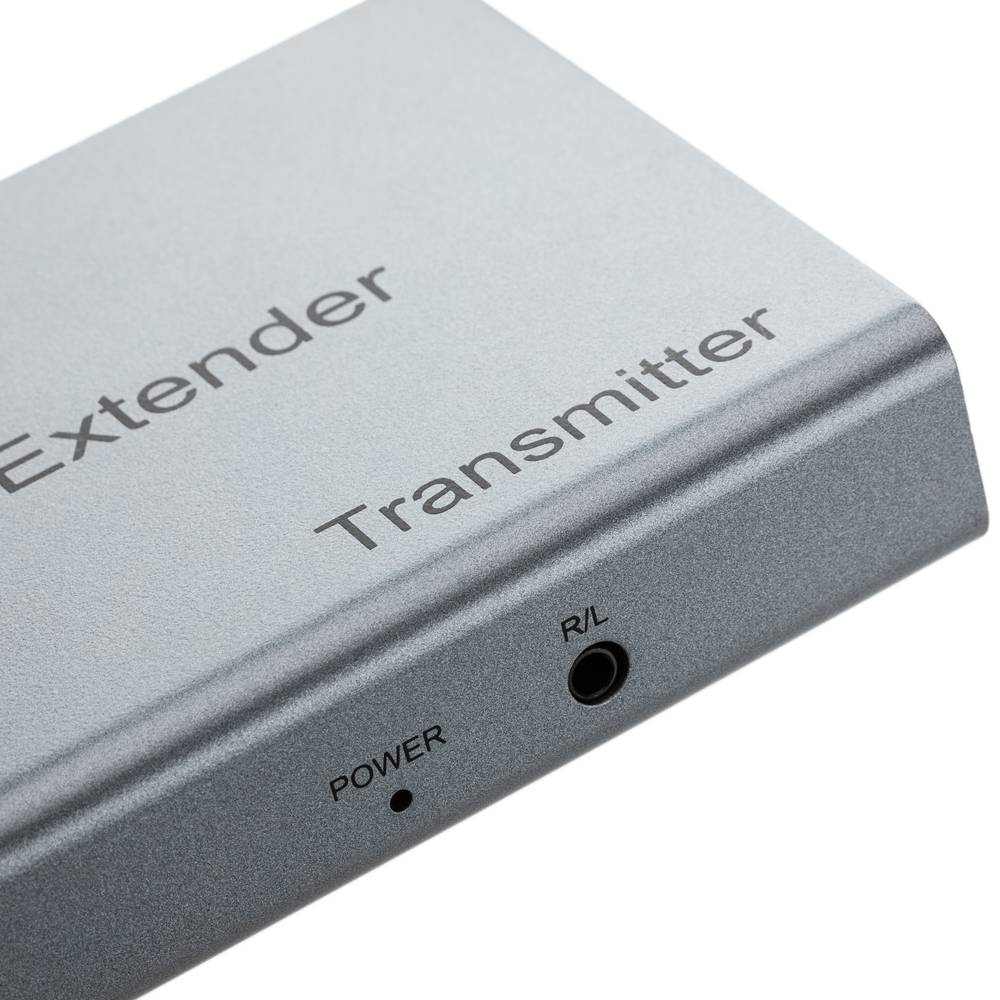
The minijack 3.5mm is a popular connector used primarily for headphones although its functionality is much more varied.
It consists of a maximum of three connecting parts being the largest so-called mass or negative polarity and two of smaller size and located farther end of the connector, called living or positive that correspond to each channel, such three-part plug can transmit signals in two different channels, also known as stereo signals. It also exists in a mono minijack but version composed of only two parts, a body and a living or positive.
USB
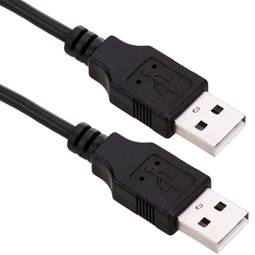
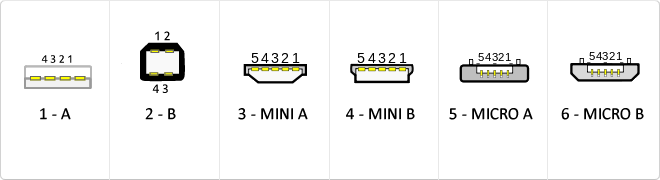
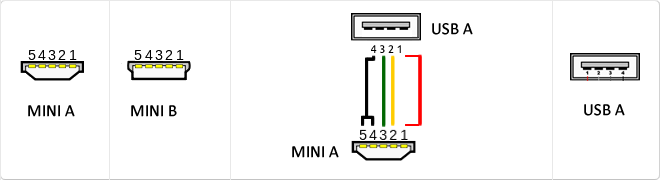
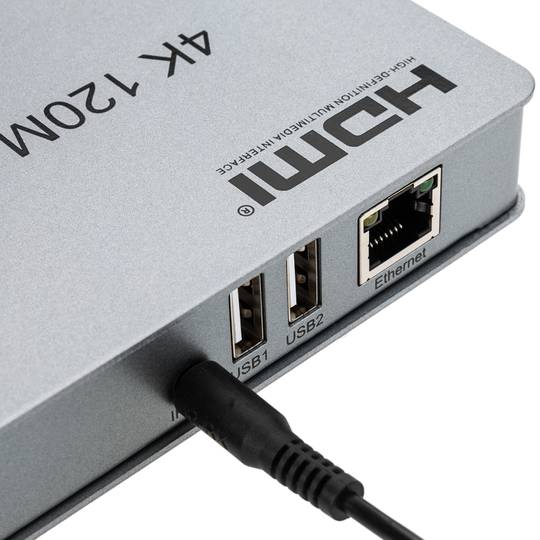
The USB (Universal Serial Bus) is a standard that defines the cables, connectors and used a bus to connect, communicate, computers, peripherals and electronic devices protocols Transmission Rates Low speed (USB 1.0). Transfer rate up to 1.5 Mbit/s (188 kB/s) used in keyboard, mouse ... transfer rate up to 12 Mbit/s (1.5 MB/s) High Speed ??(USB 2.0): Rate transferencia up to 480 Mbit/s (60 MB/s) SuperSpeed ??(USB 3.0) transfer rate up to 4.8 Gbit/s (600 MB/s) Connector Types 1 - USB type A (4 pin) 2. - USB type B (4 pin) 3 - Mini A (5-pin) 4 - Mini B (5-pin) 5 - Micro A (5-pin) 6 - Micro B (5-pin)
MicroUSB
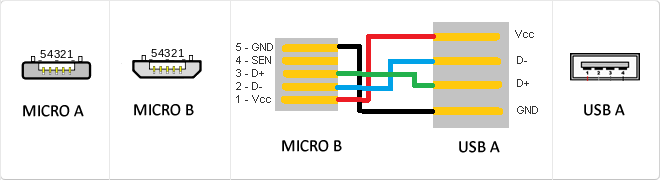
or horizontal. The micro USB with five pins, which pins identification (ID) Micro AB USB connectors special work. AB connectors with pin ID can allow the device to function as a connector A or B to standard USB technology. This gives the new smart phones and other devices the option to act as either a single storage device or as provi
Mini USB
The mini USB connectors are smaller than their standard counterparts and have USB fifth pin. The fifth pin is known as the pin ID and is typically not used in mini USB connectors. It was designed to allow later improved USB technology. The mini USB connectors have a cycle life of at least 5000 connections and disconnections, which accommodates the mobile nature of the devices that are designed to interact. The standard USB connectors are generally used with devices that are stationary and not disconnected often.
USB 3.0
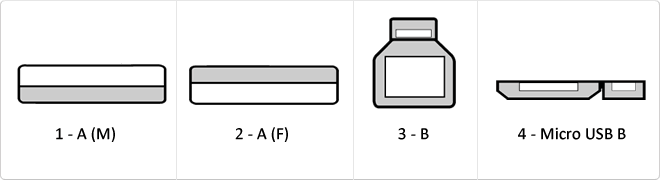
USB 3.0 is the second major revision of the standard Universal Serial Bus (USB) connectivity for computing. USB 3.0 has transmission speeds of up to 5 Gbit/s, which is 10 times faster than USB 2.0 (480 Mbit/s). Connector Types 1 - USB type A plug 2 - 3 USB type A female - USB type B 4 - Micro USB B
HDCP
HDCP (acronym for high-bandwidth digital content protection in English, that means protection of digital content of high bandwidth) is a specification developed by Intel to control the content of digital audio and video that is transmitted through DisplayPort, DVI connections, HDMI, Gigabit Video Interface (GVIF), or Unified Display Interface (UDI). The specification is proprietary, and their implementations must be licenciadas, of which Digital Content Protection is responsible. It is a type of digital rights management.
Reversible USB Type-C
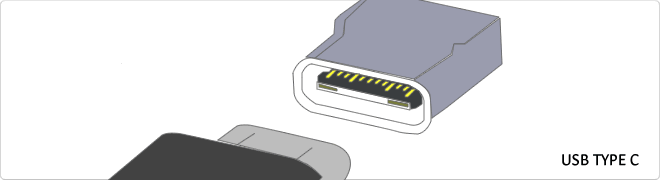
USB-C reversible USB version called USB cables USB Type C Type C or USB reversible. The important thing is this type of USB is that it has top and bottom. So you may save the blows that are given involuntarily to connect the connector upside down. It is also characterized in that when connected will make an audible "click". The USB-C or reversible USB cables can reach 10 Gbps and support USB 3.0, 3.1Use is estimated up to 10,000 applications and has some measures 8.4mm x 2.6mm is also compatible with USB 3.1 and USB indicate creators
VDC
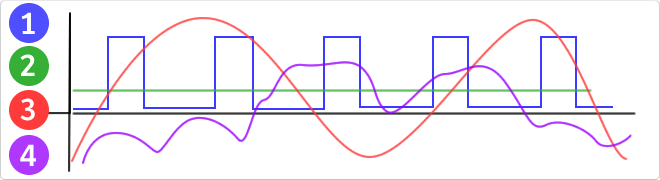
VDC would be the abbreviation for Volt Direct Current which translated would volts direct current. The idea of ??this type is unidirectional current to the load. Direct current is normally produced by batteries, thermocouples, solar cells and a dynamo electric machine type. The direct current can flow in conductors such as wires, but may also flow through semiconductors, insulators ... In the image: 1 - current per pulse 2 - Direct Current (DC) 3 - Alternating Current (AC) 4 - Variable Current
RJ45
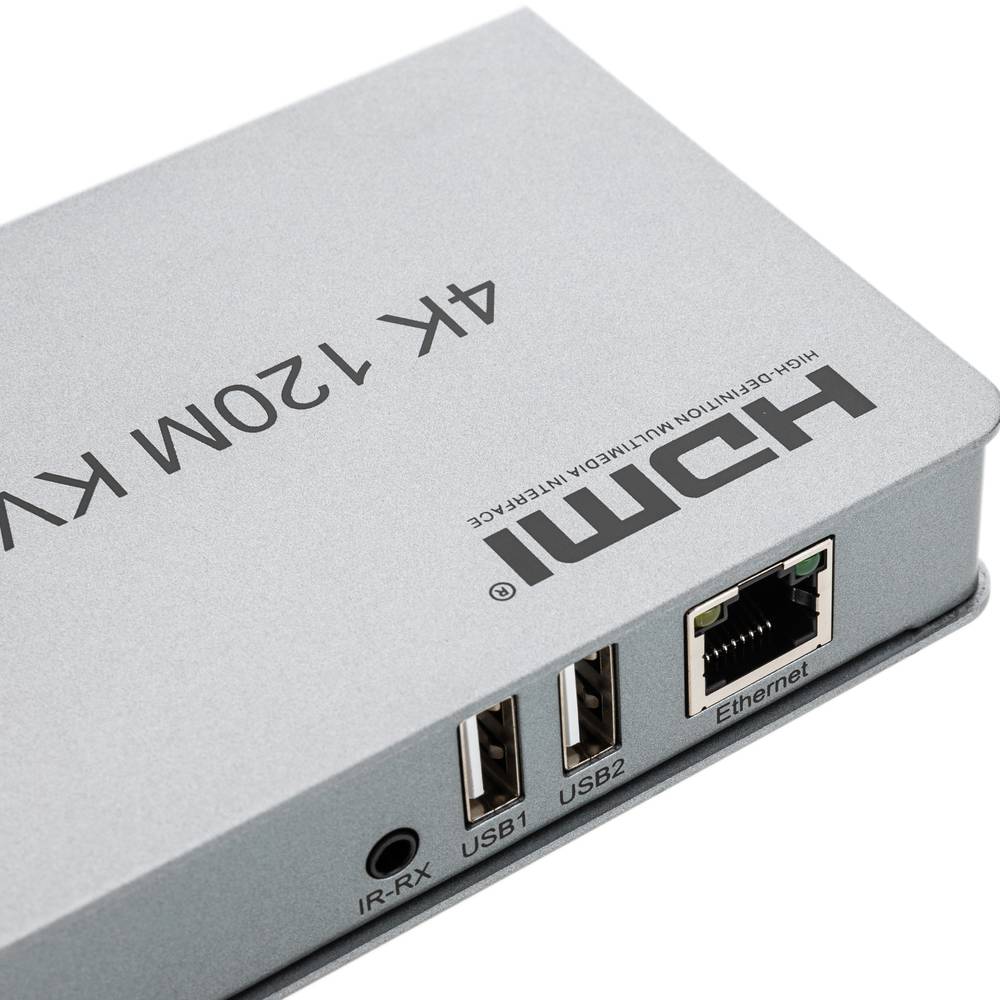
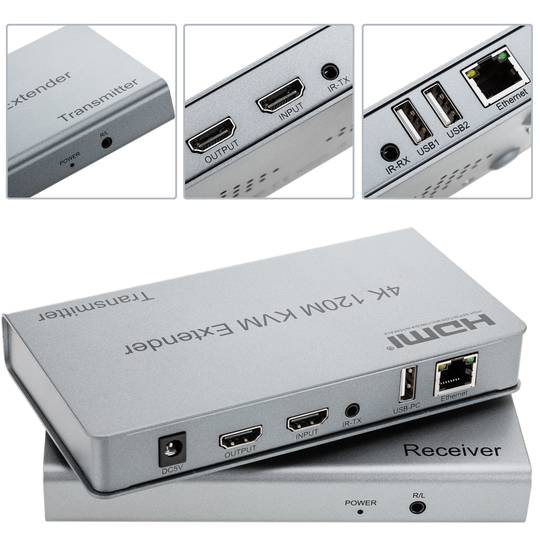
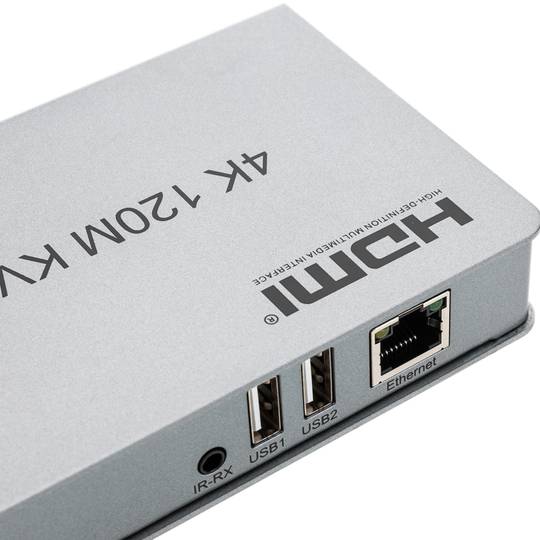
When we talk about RJ45 ("Registered Jack" 45) we refer to a telecommunications network interface for wired connection of voice and data equipment.
This connector has 8 pins or connections and may have a specific category depending on the data transfer speed and bandwidth (category 5e, 6, etc.)
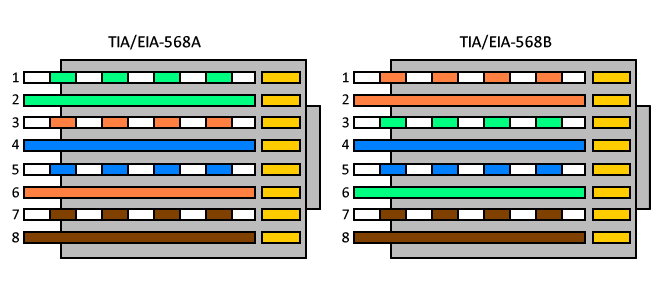
The common application is their use in Ethernet network cables under TIA/EIA-568-B standard that defines the arrangement of pins (pinout), but can also be used for other applications.
- Direct pin diagram:
EIA-568A
Pin No.1: WHITE-GREEN
Pin No.2: GREEN
Pin No.3: WHITE-ORANGE
Pin No.4: BLUE
Pin No.5: WHITE-BLUE
Pin No.6: ORANGE
Pin No.7: WHITE-BROWN
Pin No.8: BROWN
EIA-568B
Pin No.1: WHITE-ORANGE
Pin No.2: ORANGE
Pin No.3: WHITE-GREEN
Pin No.4: BLUE
Pin No.5: WHITE-BLUE
Pin No.6: GREEN
Pin No.7: WHITE-BROWN
Pin No.8: BROWN
- Schematic of crossed pins:
The crossover cable has one end with EIA-568A scheme and the other one with EIA-568B.
Jack connector
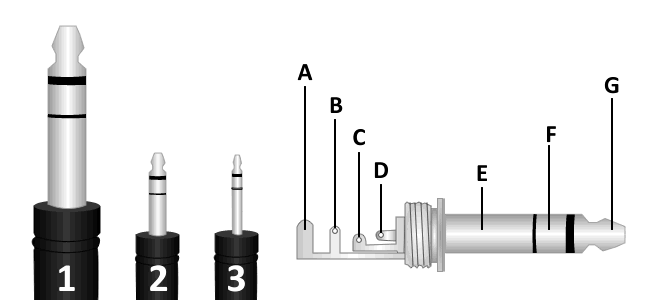
We can find 3 types of jack connector, monaural TS connector (tip-sleeve), TRS (tip-ring-sleeve) and TRRS stereo plug (tip-ring-ring-sleeve) which is used in most mobile devices, tablets, MP3 etc ...
We can difference these 3 types of connectors according to their diameter:
1. 6.35 mm jack connector or TS.
2. 3.5mm minijack connector or TRS, is the most common, usually used in headphone's output of portable devices.
3. 2.5mm jack connector or TRRS.
It consists of a maximum of three connecting parts being called the largest mass or negative polarity and two smaller size located more towards the end of the connector,
The called positive that correspond to each channel, such three-part plug can transmit signals in two separate channels, also known as stereo signals. There's a mono version, consisting of only two parts, a negative and a positive.
A. Protector
B. Stem
C. Ring
D. Tip
E. Kindred
F. Ring (Signal Right)
G. Tip (Signal Left)
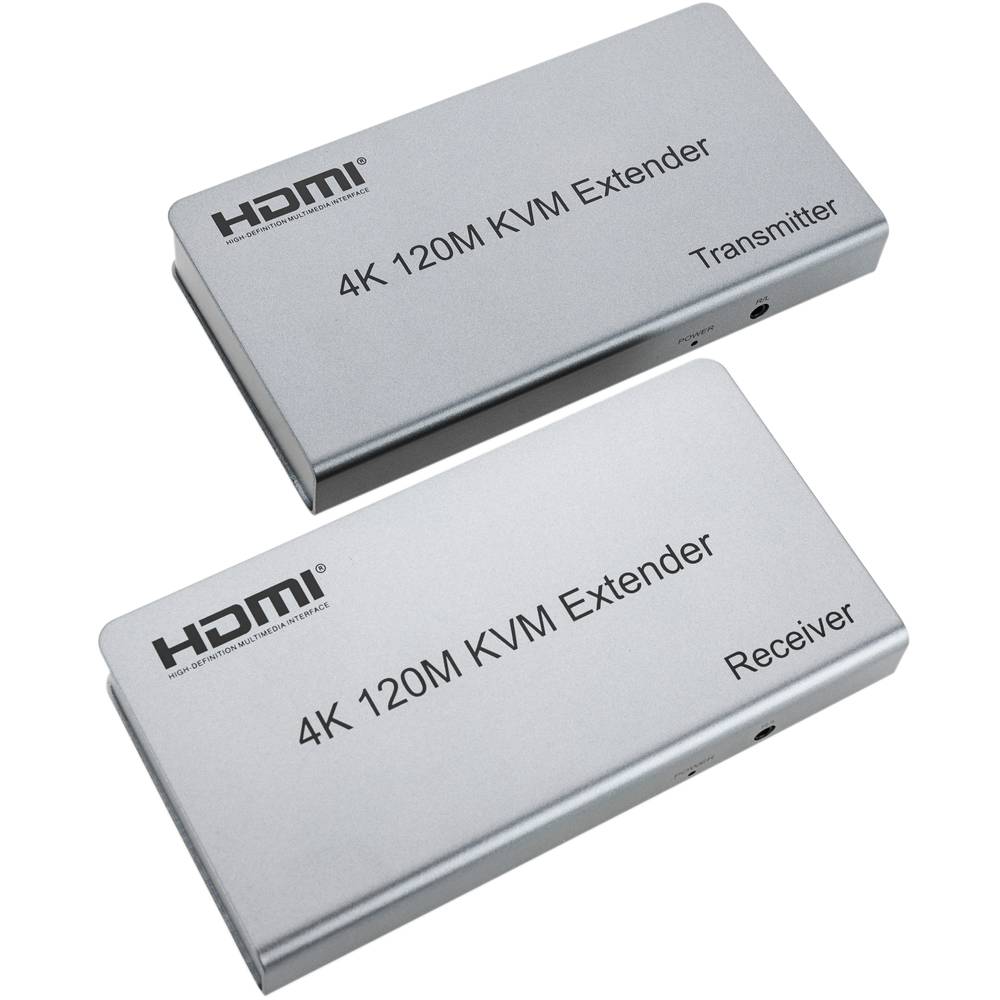
KVM
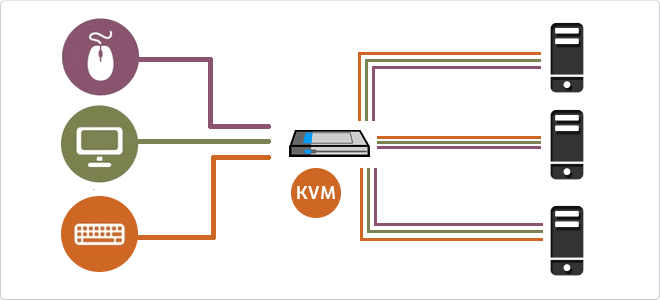
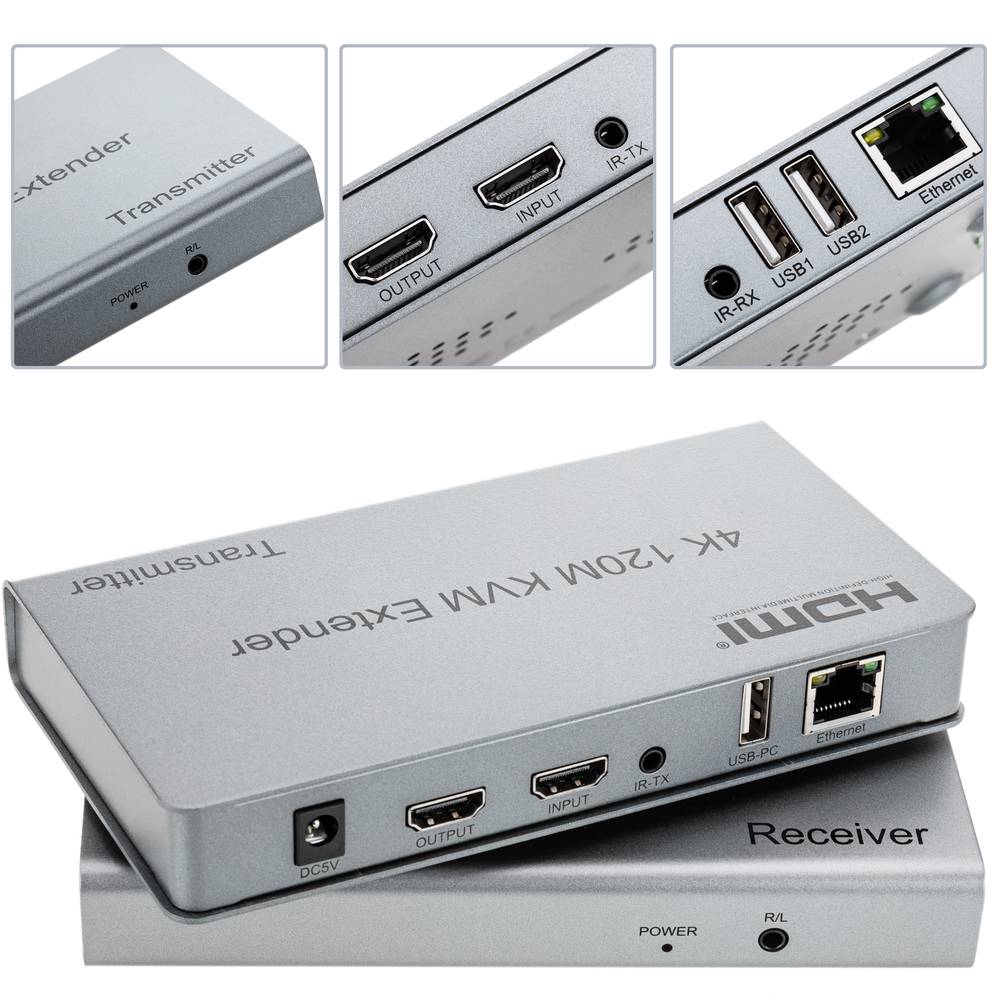
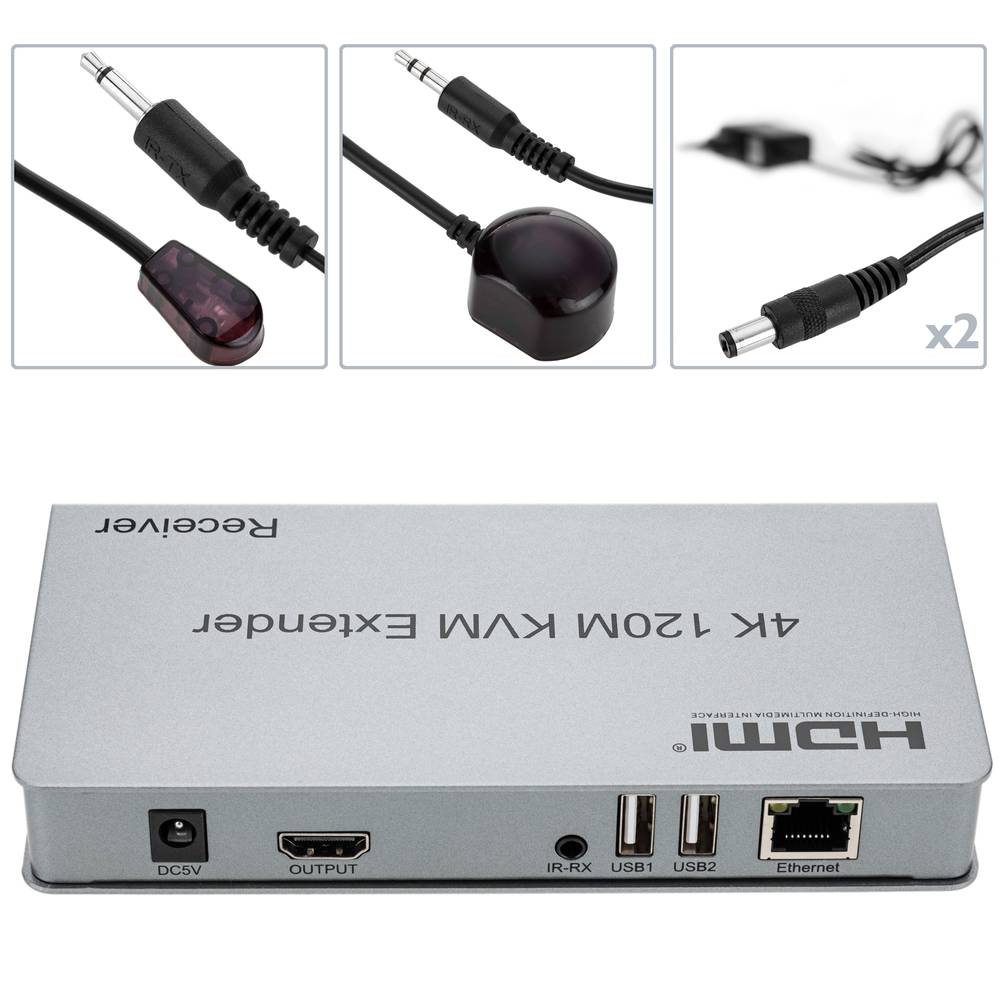
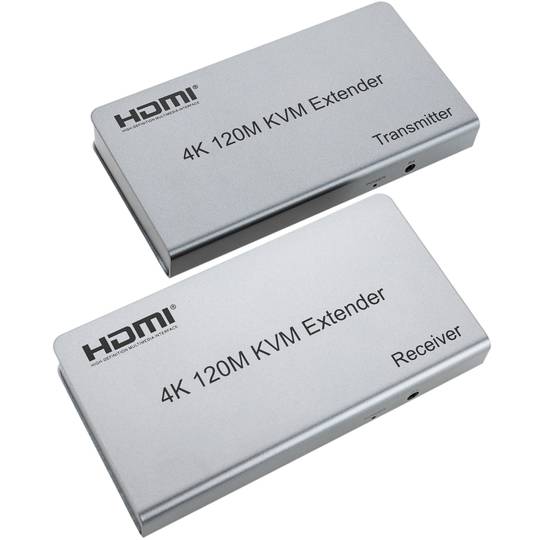
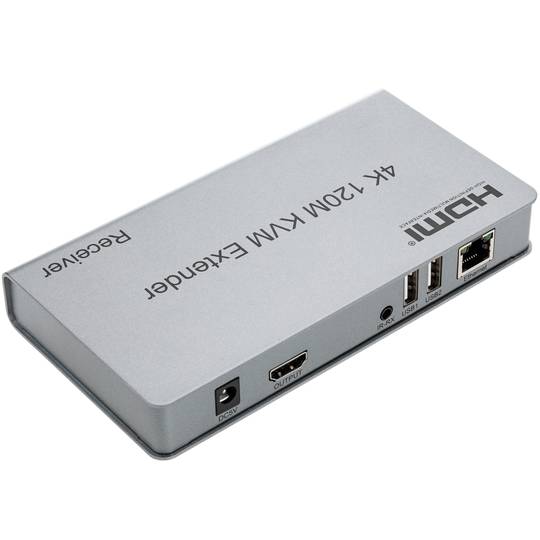
A KVM switch (Keyboard, Video, Mouse) is a hardware device that allows the control of multiple computers or servers through a single set of input and output peripherals.
This technology acts as an electronic signal bridge that switches the data flow between various host units and the user console. It manages DDC/EDID signal emulation to prevent operating systems from detecting monitor disconnection during switching, ensuring the stability of display configurations and operational continuity.
| Specification |
Technical Description |
| Video Interfaces |
VGA, HDMI, DisplayPort, DVI-I |
| Connectivity |
USB 2.0/3.0, PS/2, Audio Jack |
| Switching Methods |
Push buttons, Hotkeys, OSD |
The integration of KVM switches into modern infrastructures has significantly optimized rack space and reduced power consumption. With the evolution towards KVM-over-IP, administrators can remotely manage data centers at the BIOS level, enabling critical interventions regardless of the operating system state.
Key Technical Detail
Intermediate and advanced models use dedicated microprocessors for each input port, ensuring the computer "perceives" an active peripheral connection, eliminating USB enumeration latency.
Main Advantages
- Significant reduction in cabling and redundant hardware.
- Centralized and secure access to multiple systems.
- Ability to manage headless servers.
Note: KVM switches are essential for operational efficiency in data centers and server rooms.
![]()







 Watch video
 2 years
 14 days
 100%
100%