

https://cablematic.com/en/products/ubiquiti-unvr-pro-unifi-protect-video-recorder-UI589/
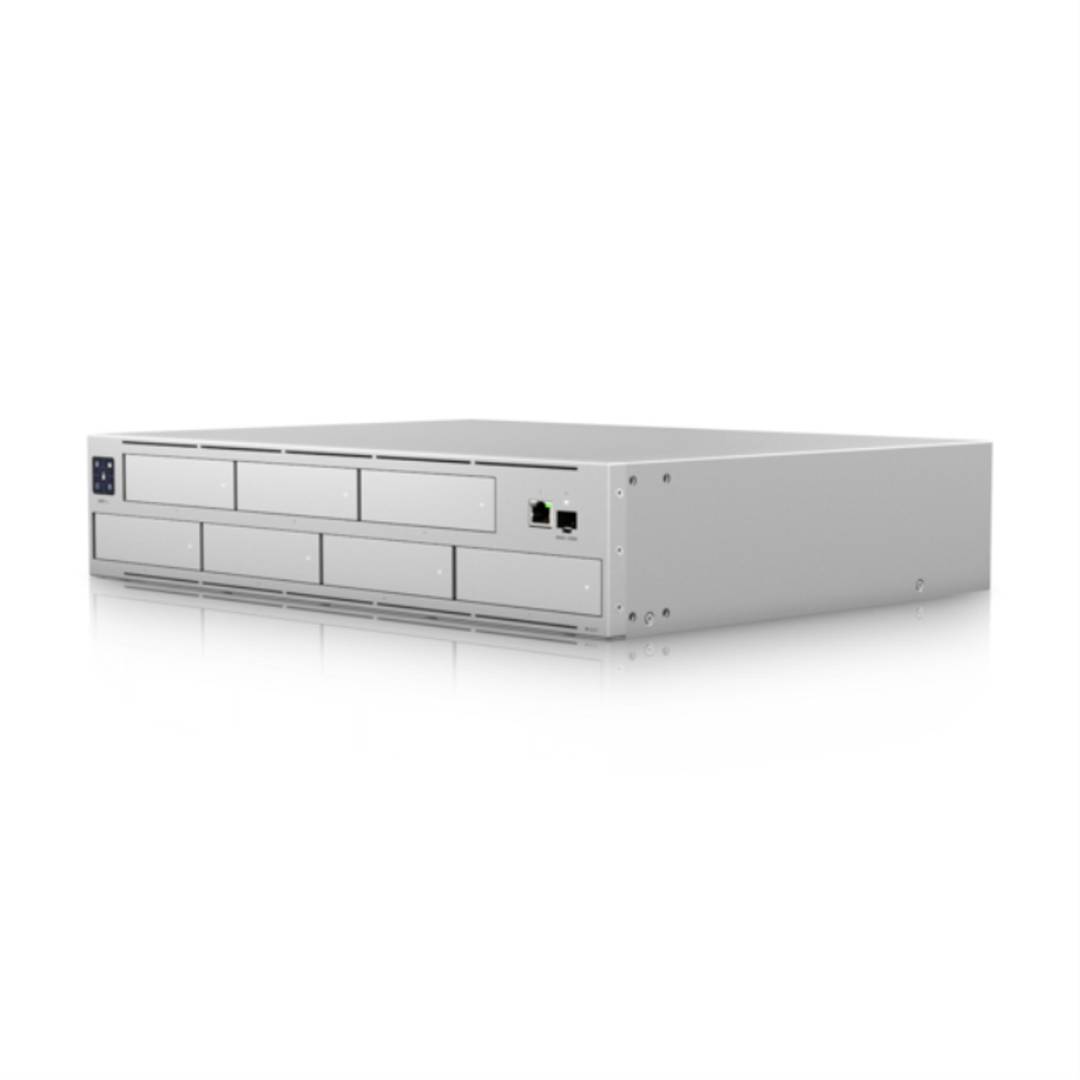

Ubiquiti UNVR-PRO UniFi Protect Video Recorder
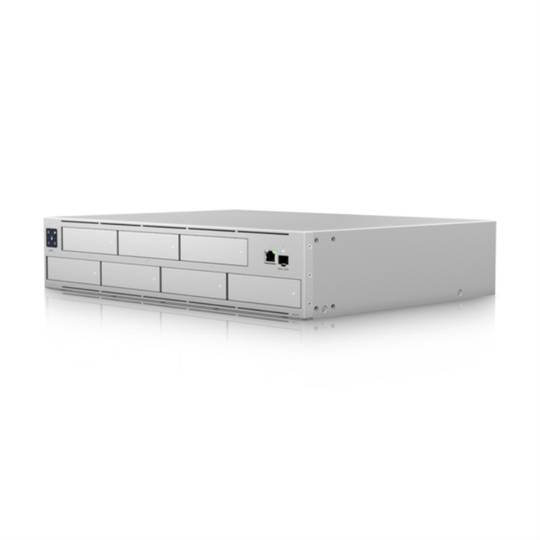
- Ubiquiti Networks UNVR-Pro: Video input channels: 60 channels
- HDD Size: 2.5/3.5"
- RAID levels: 1, 5, 10
- Ethernet LAN, data transfer rate: 1000,10000 Mbit/s
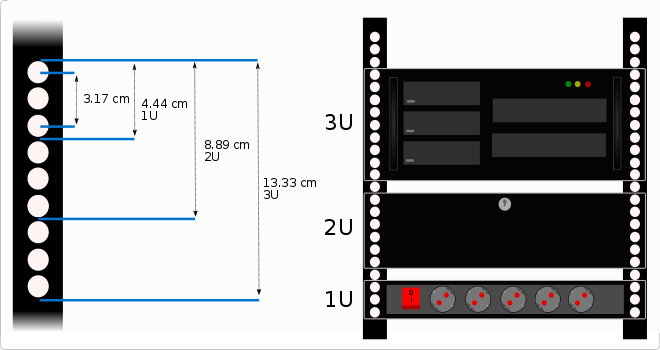
- Rack capacity: 2U
 2 years
warranty
 14 days
returns
 100%
100%safe
- Ubiquiti Networks UNVR-Pro: Video input channels: 60 channels
- HDD Size: 2.5/3.5"
- RAID levels: 1, 5, 10
- Ethernet LAN, data transfer rate: 1000,10000 Mbit/s
- Rack capacity: 2U
Related products
More info
Ubiquiti's high capacity video storage platform offering up to 60 video input channels. The device comes with a 2.5/3.5" hard drive and supports RAID levels 1, 5 and 10. The device also features an Ethernet LAN port with data transfer rates up to 1000 or 10000 Mbit/s. It is designed to occupy 2U in a rack and its color is gray.The screen has a diagonal of 3.3 cm (1.3"). Manufactured by Ubiquiti with reference UNVR-PRO.
Specifications
- Ubiquiti Networks UNVR-Pro: Video input channels: 60 channels
- HDD Size: 2.5/3.5"
- RAID levels: 1, 5, 10
- Ethernet LAN, data transfer rate: 1000,10000 Mbit/s
- Rack capacity: 2U
- Product colour: Gray
- Screen diagonal: 3.3 cm (1.3")
- Ubiquiti manufacturer reference: UNVR-PRO
- Ideal use for: video storage, real-time video streaming, security surveillance, etc.
- Compatibility: Windows PC, Mac, Linux, storage servers, network devices, etc.
- Connections: USB 3.0 ports, HDMI, Ethernet, etc.
- Features: high processing speed, high image quality, high data transfer speed, etc.
- Technology: network storage technology, video compression technology, etc.
- Gross Weight: 10.75 kg
- Number of packages: 1
Technical terms
- HDMI
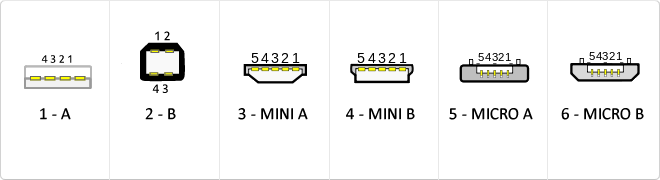
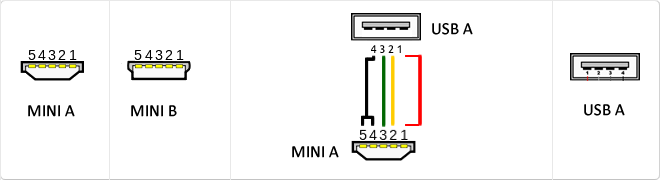
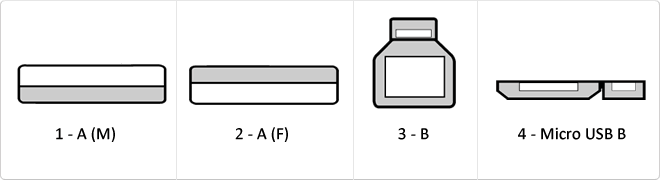
- USB
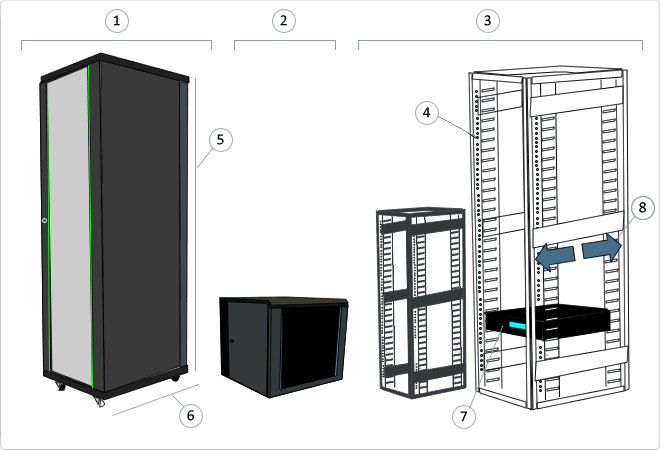
- RACK 19
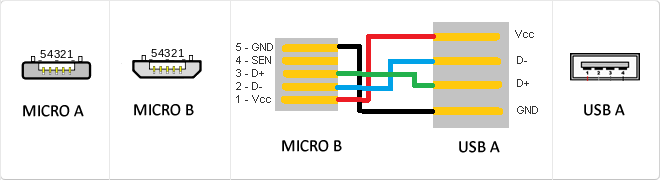
- MicroUSB
- Mini USB
- USB 3.0
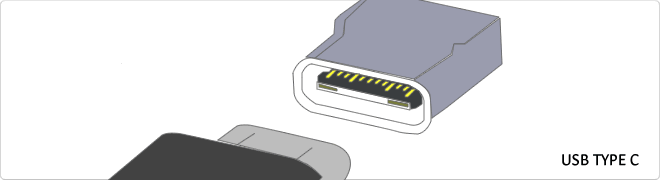
- Reversible USB Type-C
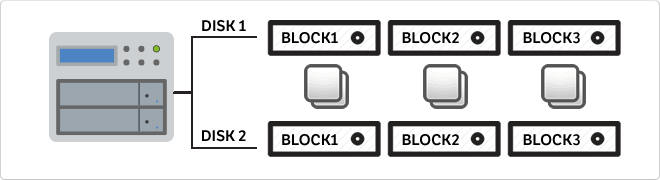
- RAID
- Rack unit (U)
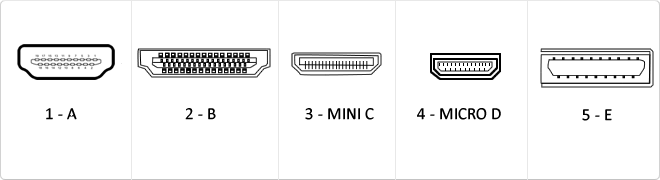
HDMI (High-Definition Multimedia Interface) is a digital interface standard designed for the simultaneous transmission of uncompressed audio and video streams from a compatible source to a digital display or receiver.
This interface employs Transition-Minimized Differential Signaling (TMDS) to maintain data integrity at high frequencies. Throughout its revisions, HDMI has evolved from a basic digital video solution into a complex data bus capable of carrying 4K signals at 60Hz, dynamic metadata, and bidirectional control protocols between devices.
| Version | Bandwidth | Audio/Video Support |
|---|---|---|
| 1.0 - 1.2 | 4.9 Gbit/s | 1080p @ 60Hz, 8 LPCM channels |
| 1.3 - 1.4 | 10.2 Gbit/s | 4K @ 30Hz, Deep Color, ARC, Ethernet |
| 2.0 | 18.0 Gbit/s | 4K @ 60Hz, 32 audio channels, HDR |
The mass adoption of the HDMI standard has transformed the interconnect architecture in multimedia data centers and high-performance workstations. Its ability to integrate Audio Return Channels (ARC/eARC) and Ethernet connectivity (HEC) has drastically simplified structural cabling, eliminating the need for multiple redundant analog and digital cables while ensuring signal integrity over significant distances through active equalization.
CEC Control and Multi-Streaming Integration
A critical innovation in version 2.0 is the ability to deliver simultaneous dual video streams on the same screen and up to four independent audio streams, optimizing bandwidth for multi-user applications.
Key Advantages
- Pure digital transmission avoiding D/A signal degradation.
- Full backward compatibility across all standard versions.
- Native support for high-resolution audio formats like Dolby TrueHD and DTS-HD.
- Support for 21:9 cinema aspect ratios and dynamic lip-sync.
Note: Final interface performance is dependent on the cable certification (Standard, High Speed, or Premium High Speed).