Categories network cables
Network cable categories define the performance, frequency, and data transmission capacity in structured cabling infrastructures.
| Category | Max Speed | Frequency | Distance |
|---|
| Cat 6a | 10 Gbps | 500 MHz | 100 m |
Details and Advantages
Categorization ensures infrastructure can handle bandwidth demands and mitigates electromagnetic interference.
Note: Maximum distance is typically 100 meters per TIA/EIA standards.
IEC
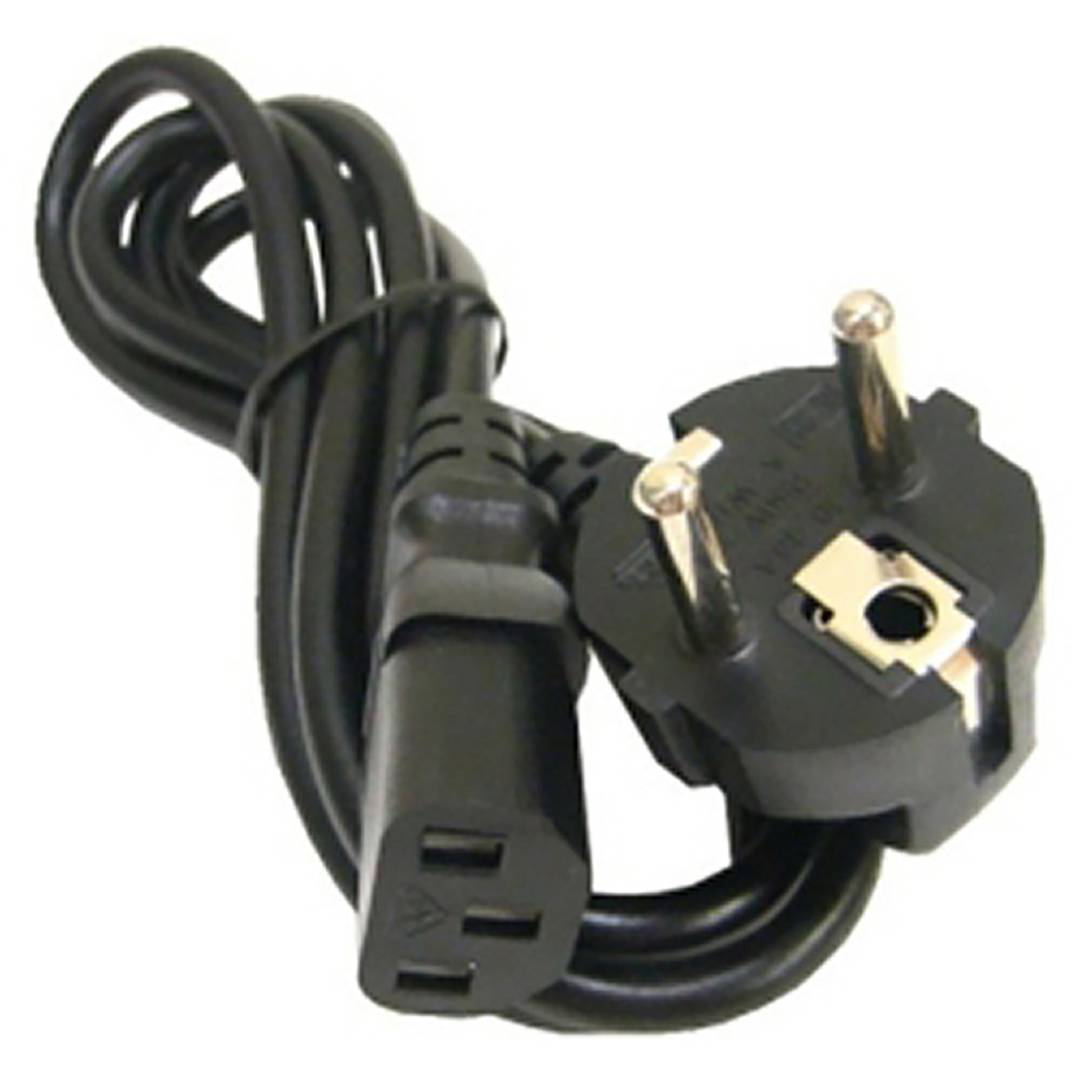
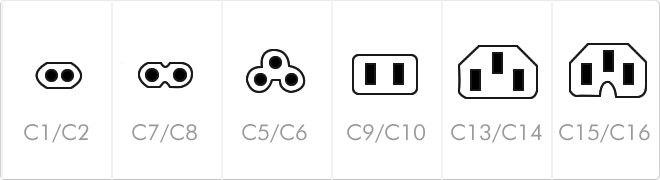
The IEC 60320 standard defines an international set of non-locking appliance couplers for connecting power supply cords to electrical equipment up to 250 V.
The specification ensures electrical and mechanical interchangeability across a wide range of devices. Connectors are designated by even and odd numbers, where odd numbers (C7, C13, C19) refer to the female connector and even numbers (C8, C14, C20) to the male appliance inlet.
| Type | Current (A) | Ground | Typical Use |
|---|
| C7 / C8 | 2.5 A | No | Consumer electronics (Shotgun). |
| C13 / C14 | 10 A / 15 A | Yes | PC, IT equipment. |
Widespread adoption of this standard has enabled global hardware manufacturing efficiency, allowing a single power supply unit to work worldwide by simply swapping the localized cord. In modern data center architectures, the shift toward C19/C20 standards is vital to handle the increased power density of high-performance servers.
Key Features
- Global standardization and compliance.
- Class I and Class II equipment support.
- High thermal tolerance variants available.
Standardized by the International Electrotechnical Commission.
![]()
USB
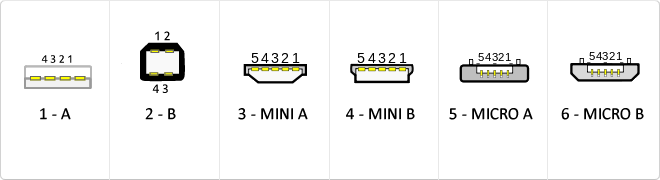
The USB (Universal Serial Bus) is a standard that defines the cables, connectors and used a bus to connect, communicate, computers, peripherals and electronic devices protocols Transmission Rates Low speed (USB 1.0). Transfer rate up to 1.5 Mbit/s (188 kB/s) used in keyboard, mouse ... transfer rate up to 12 Mbit/s (1.5 MB/s) High Speed ??(USB 2.0): Rate transferencia up to 480 Mbit/s (60 MB/s) SuperSpeed ??(USB 3.0) transfer rate up to 4.8 Gbit/s (600 MB/s) Connector Types 1 - USB type A (4 pin) 2. - USB type B (4 pin) 3 - Mini A (5-pin) 4 - Mini B (5-pin) 5 - Micro A (5-pin) 6 - Micro B (5-pin)
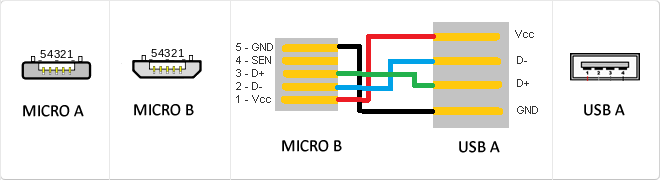
MicroUSB
or horizontal. The micro USB with five pins, which pins identification (ID) Micro AB USB connectors special work. AB connectors with pin ID can allow the device to function as a connector A or B to standard USB technology. This gives the new smart phones and other devices the option to act as either a single storage device or as provi
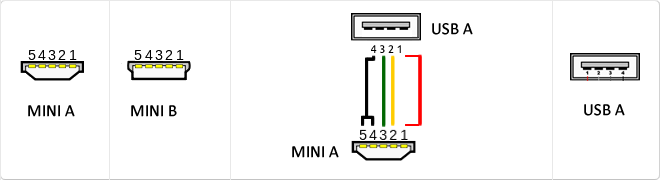
Mini USB
The mini USB connectors are smaller than their standard counterparts and have USB fifth pin. The fifth pin is known as the pin ID and is typically not used in mini USB connectors. It was designed to allow later improved USB technology. The mini USB connectors have a cycle life of at least 5000 connections and disconnections, which accommodates the mobile nature of the devices that are designed to interact. The standard USB connectors are generally used with devices that are stationary and not disconnected often.
Communication Series
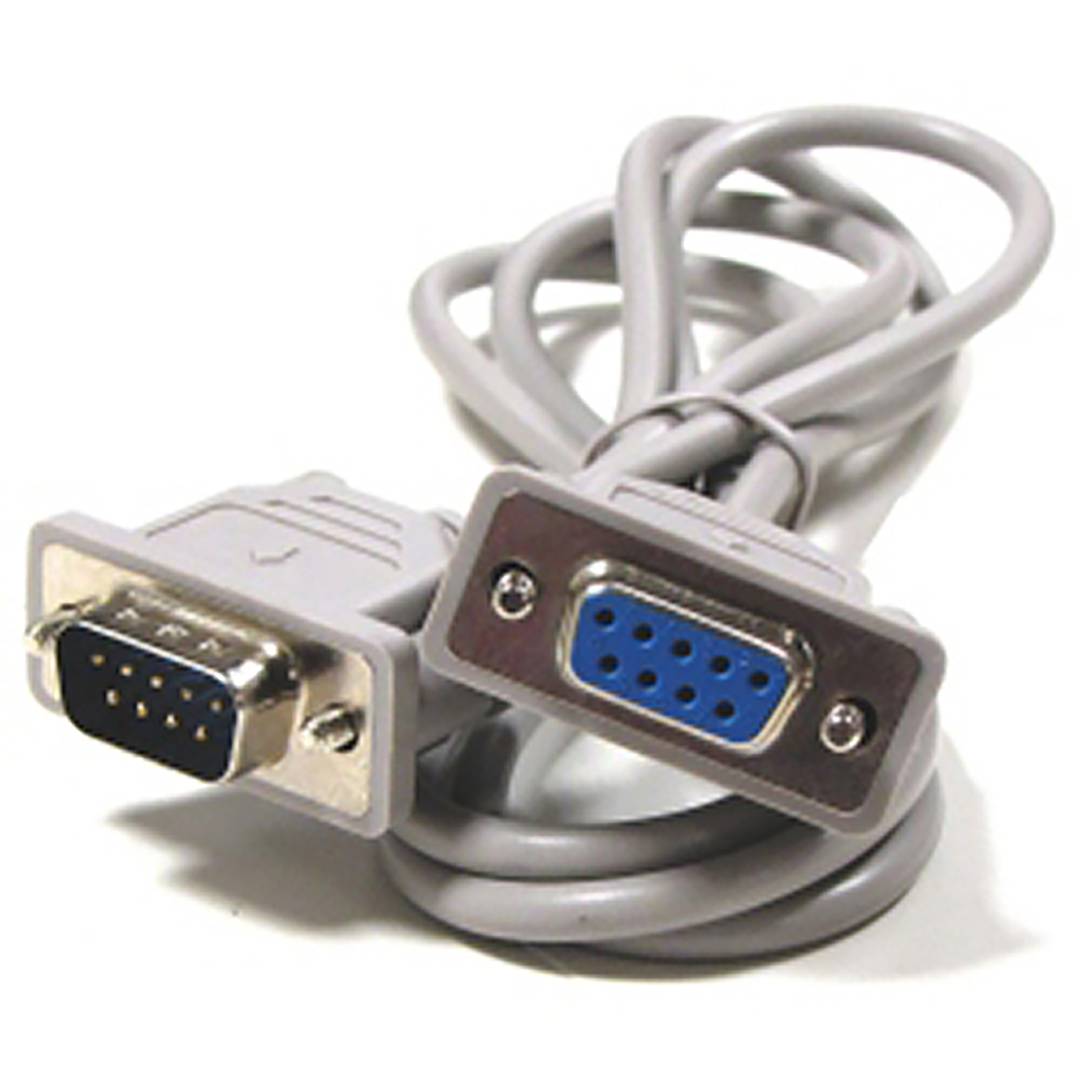
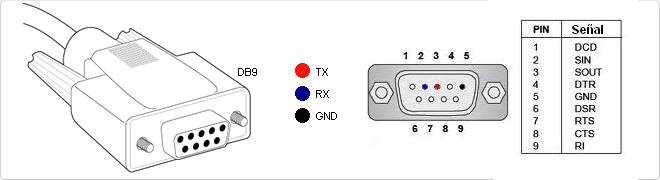
RS-232 (Recommended Standard 232, also known as EIA/TIA RS-232C) is an interface that designates a standard for the exchange of a series of binary data between a DTE (Data Terminal Equipment) and DCE (Data Communication Equipment , Data Communication Equipment), although there are others in which the RS-232 interface is also used. An equivalent definition published by the ITU is called V.24. The RS-232 is a connectorDB-25 type (25-pin), although it is normal to find the version of 9-pin (DE-9, or popularly also called DB-9), cheaper and even extended to certain types of peripherals (such as serial mouse PC).
UPS
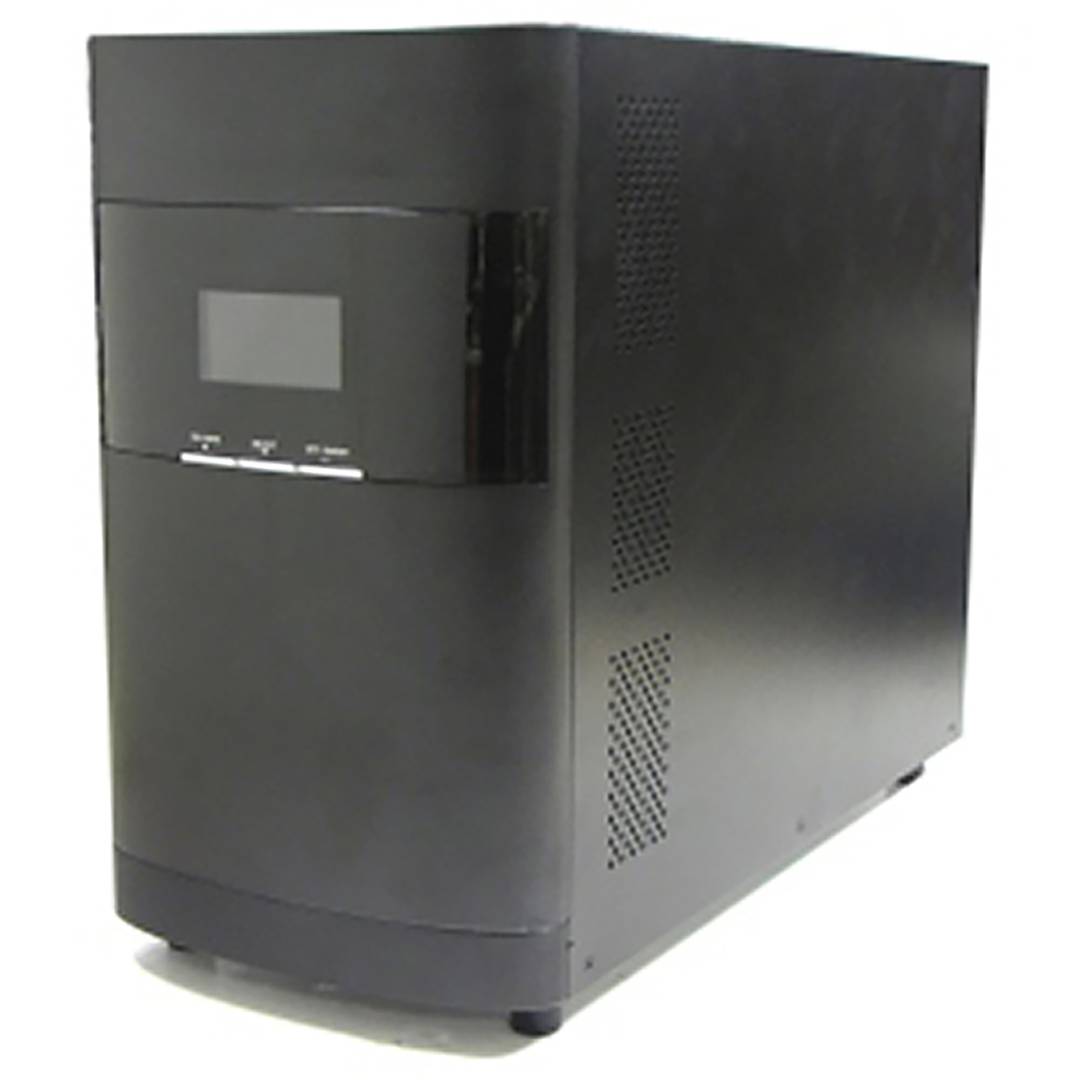
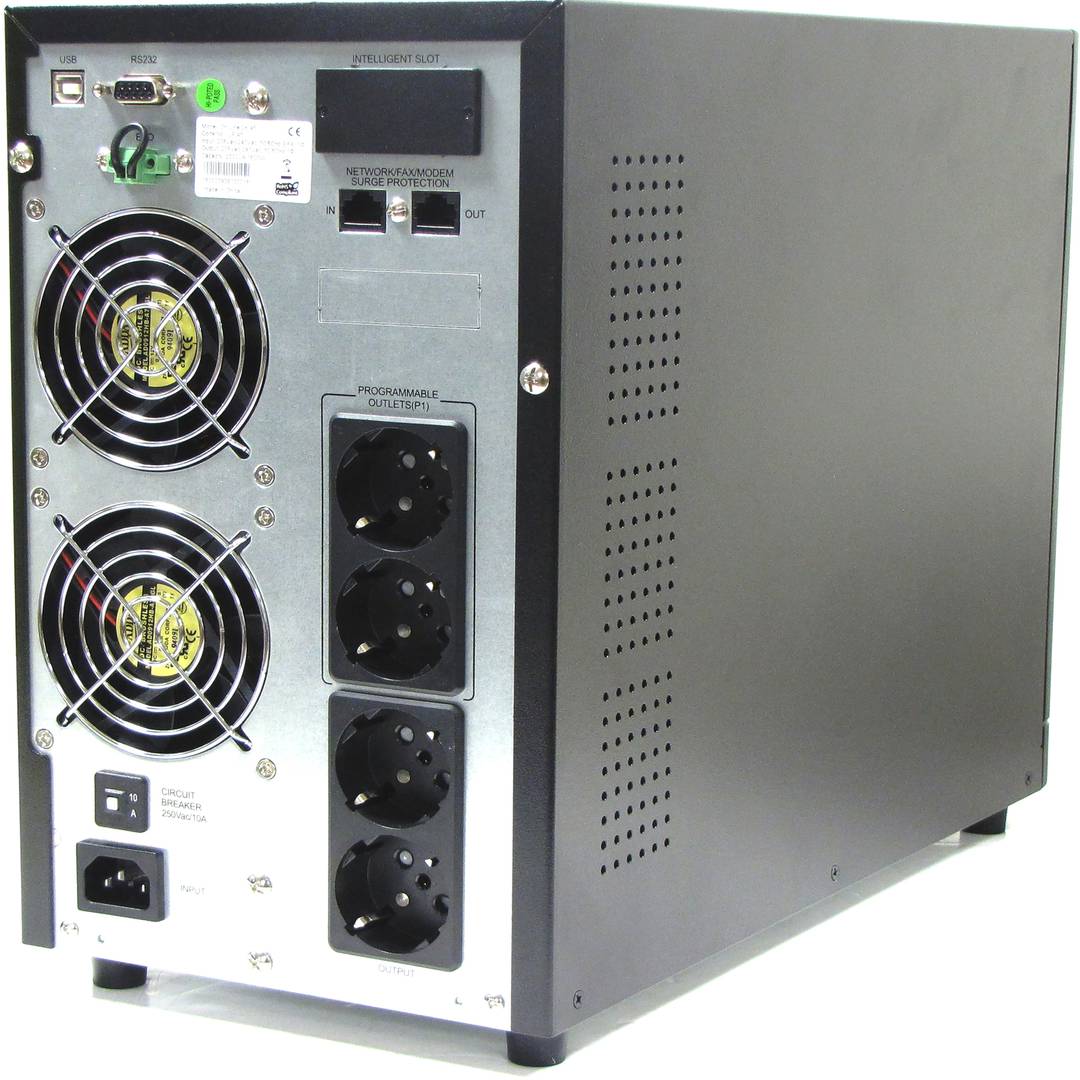
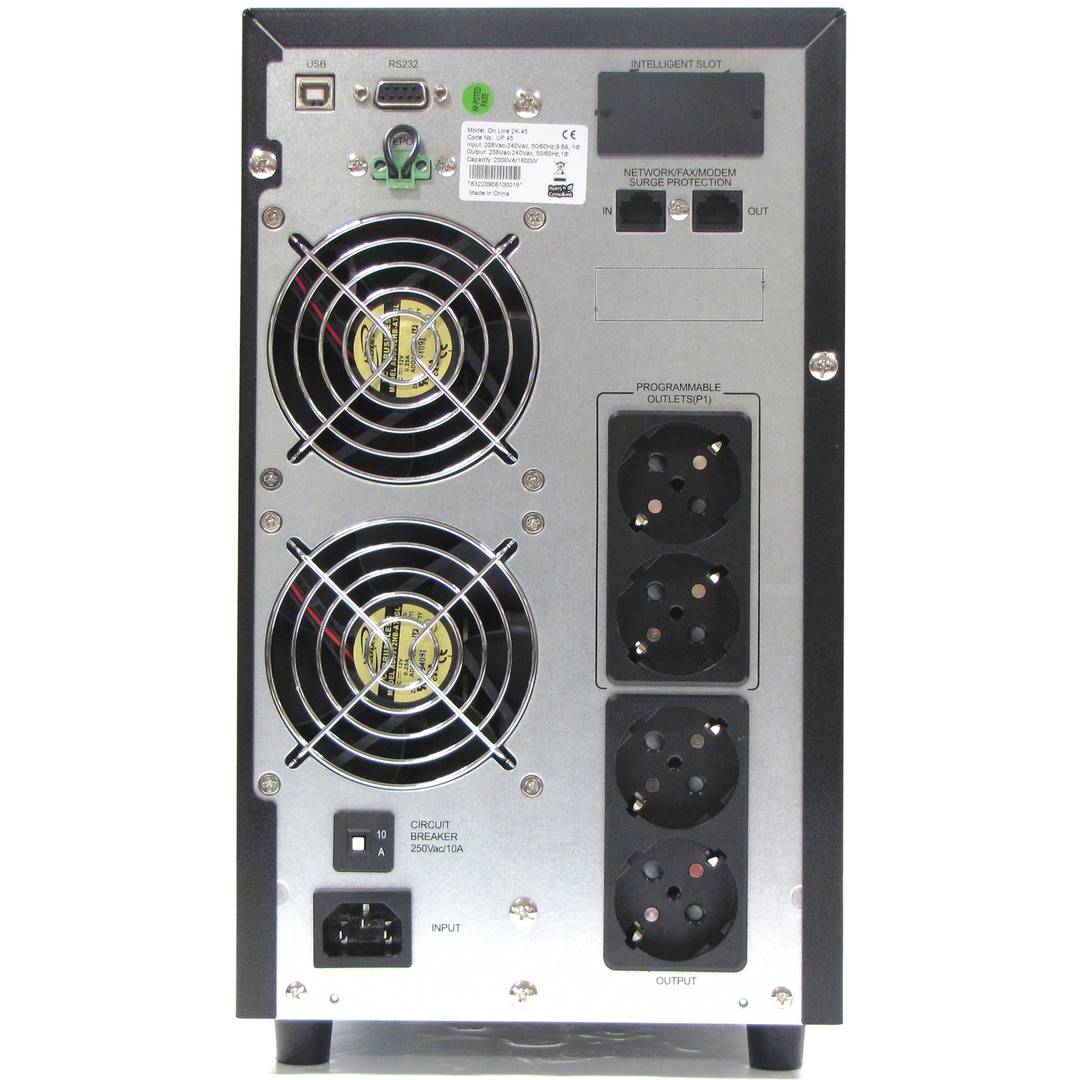
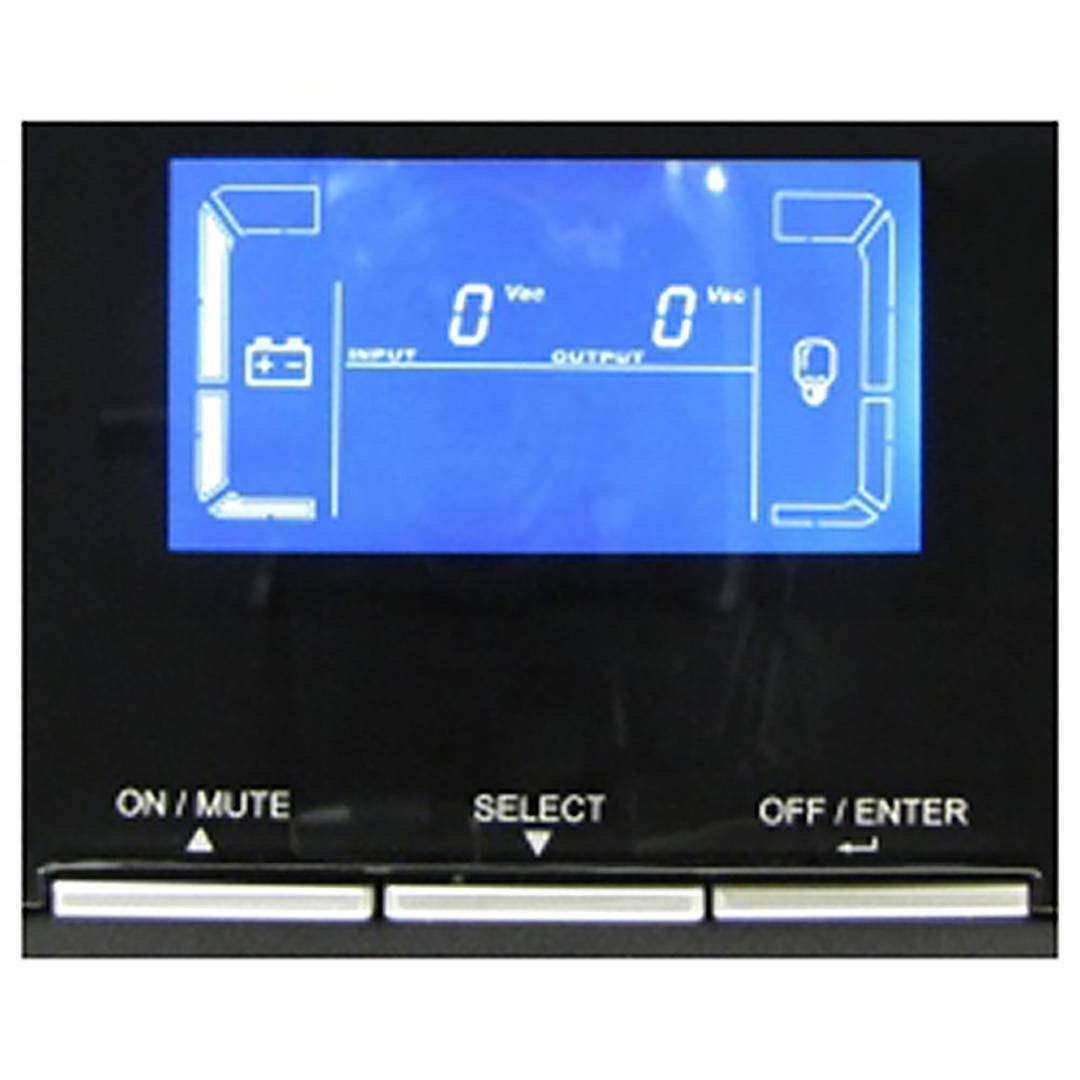
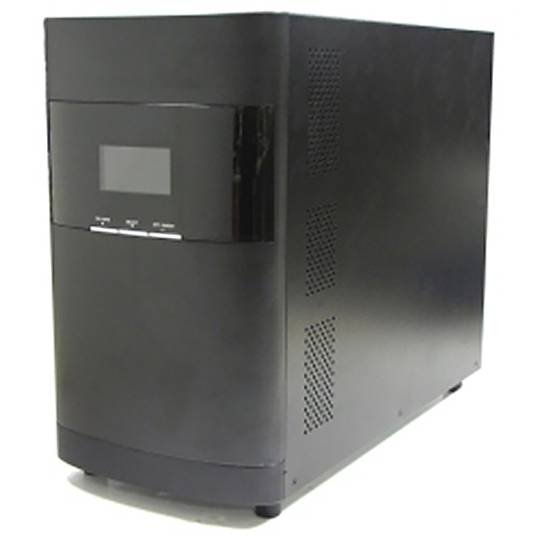
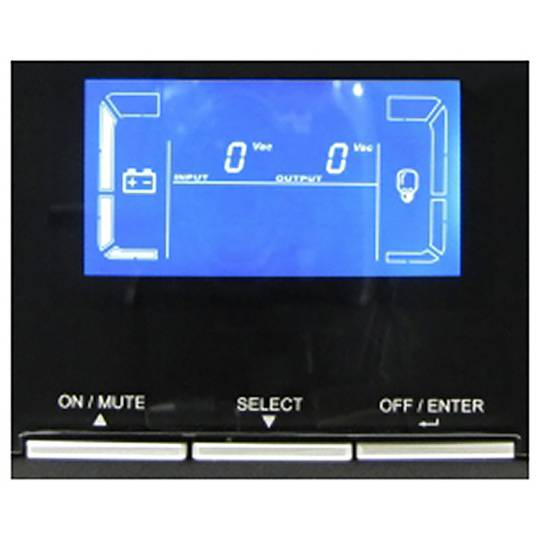
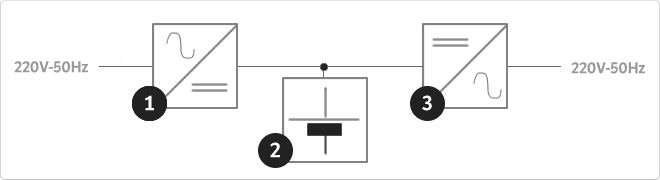
An uninterruptible power supply, UPS, also known as UPS (uninterruptible power supply English), is a device that, thanks to batteries or other energy storage elements, can provide power for a limited time and for a blackout all the devices connected. Other features that can be added to these teams is to improve the power qualityéctrica reaching loads, ups and downs filtering and eliminating voltage harmonics of the network in the case of using AC. There are different types of UPS UPS DC loads connected to the UPS require DC power, so they will transform the alternating current to direct current sales network and use it to power the load and store it in your batterys. So they do not require converters between the batteries and loads. UPS AC UPS obtained These outputs an AC signal, so they need an inverter to convert the direct signal from the batteries in an alternating signal. UPS standby (Standby Power Systems) This system has two main circuits: the power line, which only addsa stabilized and additional filtering of each team to normal feed, and the actual circuit UPS circuit whose core is called "inverter". It is called system "standby" or waiting, because the circuit of alternative power, the inverter is "offline" or inactive, waiting to become operational when it produces a failure in the power supply. It has a switching element that connectsand either circuit switched alternately. UPS line-interactive (in-line) This type of UPS regulates voltage variations by elevations or reductions in mains voltage. During these interventions, the UPS uses its battery to perform the voltage regulation. UPS online (online) In contrast, the UPS "online" (on-line), the battery and the inverter are permanently It is utiized, ensuring a maximum response in a timely manner before the event of network failure. In addition, they can also correct the frequency shifts as re-generate the ac wave permanently. Diagram UPS online In the picture (1) Rectifier The picture (2): battery in the picture (3): Inverter
![]()
USB 3.0
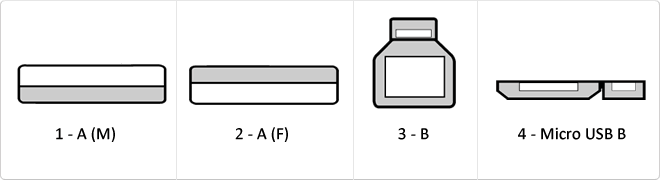
USB 3.0 is the second major revision of the standard Universal Serial Bus (USB) connectivity for computing. USB 3.0 has transmission speeds of up to 5 Gbit/s, which is 10 times faster than USB 2.0 (480 Mbit/s). Connector Types 1 - USB type A plug 2 - 3 USB type A female - USB type B 4 - Micro USB B
SNMP
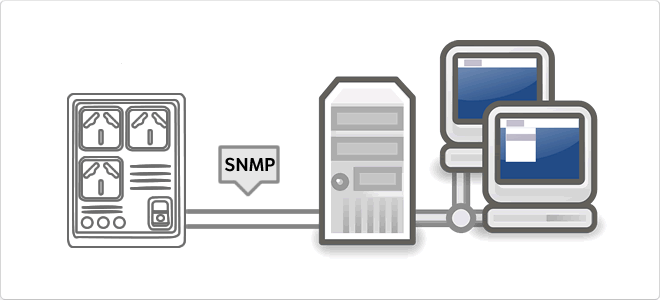
The Simple Network Management Protocol, or SNMP (English Simple Network Management Protocol) is a protocol for the application layer that facilitates the exchange of management information between network devices. It allows administrators to monitor network performance, find and solve problems, and plan for growth. In an attempt to explain in a simple way, we could imagine that instala card using SNMP to monitor a UPS on a network.
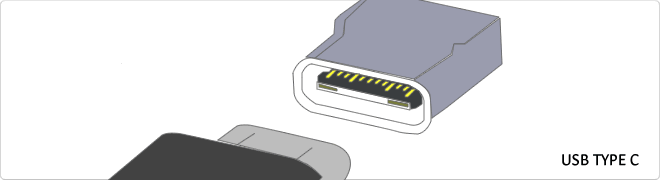
Reversible USB Type-C
USB-C reversible USB version called USB cables USB Type C Type C or USB reversible. The important thing is this type of USB is that it has top and bottom. So you may save the blows that are given involuntarily to connect the connector upside down. It is also characterized in that when connected will make an audible "click". The USB-C or reversible USB cables can reach 10 Gbps and support USB 3.0, 3.1Use is estimated up to 10,000 applications and has some measures 8.4mm x 2.6mm is also compatible with USB 3.1 and USB indicate creators
RS232
The RS232 connector is a connector type 9-pin connector is popularly called Series. It is a connector that was once widely used by various components of the PC, such as a mouse, keyboard ... but over time it has fallen into disuse and replaced by the USB connector trying to emulate the latest version number. It is currently used by robots, elevators, POS and industrial machinery.
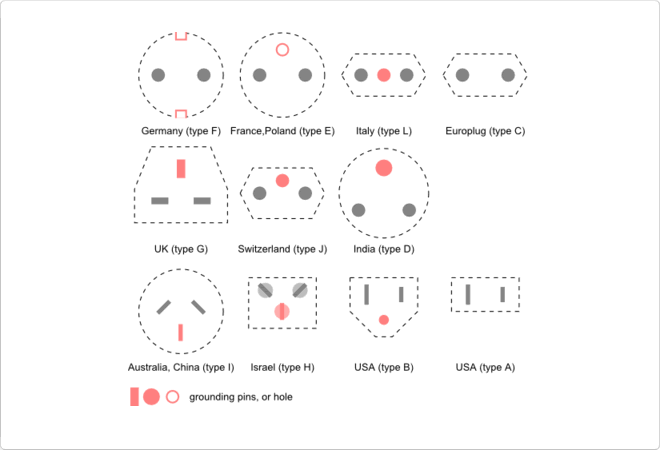
Schuko
In IEC connector or cable with a base (usually plastic) and a plug to connect to the socket (plug), if we put these two things we would get the named SCHUKO is the overall connector. The schuko not determine the type of connector. It would be determined by the specification of the International Electrotechnical Commision (IEC). We leave a small sample of Schukos internationally.
RJ45
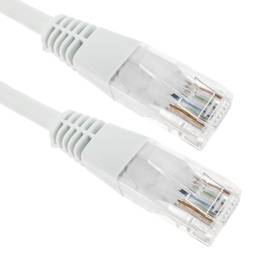
When we talk about RJ45 ("Registered Jack" 45) we refer to a telecommunications network interface for wired connection of voice and data equipment.
This connector has 8 pins or connections and may have a specific category depending on the data transfer speed and bandwidth (category 5e, 6, etc.)
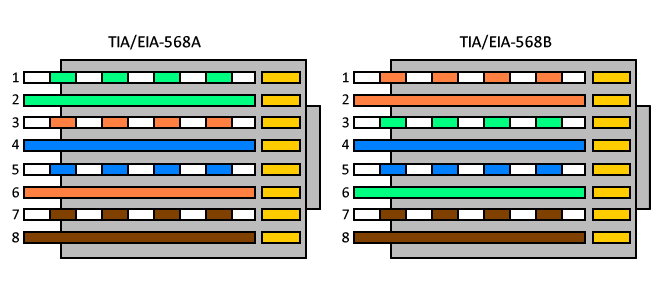
The common application is their use in Ethernet network cables under TIA/EIA-568-B standard that defines the arrangement of pins (pinout), but can also be used for other applications.
- Direct pin diagram:
EIA-568A
Pin No.1: WHITE-GREEN
Pin No.2: GREEN
Pin No.3: WHITE-ORANGE
Pin No.4: BLUE
Pin No.5: WHITE-BLUE
Pin No.6: ORANGE
Pin No.7: WHITE-BROWN
Pin No.8: BROWN
EIA-568B
Pin No.1: WHITE-ORANGE
Pin No.2: ORANGE
Pin No.3: WHITE-GREEN
Pin No.4: BLUE
Pin No.5: WHITE-BLUE
Pin No.6: GREEN
Pin No.7: WHITE-BROWN
Pin No.8: BROWN
- Schematic of crossed pins:
The crossover cable has one end with EIA-568A scheme and the other one with EIA-568B.